UniBot: Smart University AI Chatbot (32 chars)

Generated from prompt:

Create a PowerPoint presentation titled 'UniBot – University Smart Chat Assistant' following the official Navkis College of Engineering final presentation format. Include the following sections: 1. Introduction (AI overview, UniBot concept), 2. Problem Statement, 3. Objectives, 4. Literature Survey (5 studies summarized in table form), 5. Requirement Analysis (software and hardware requirements), 6. Design Phase (architecture, flowchart, modules), 7. Implementation (tools, Firebase integration, validation, testing), 8. Results and Analysis (performance, modules tested, screenshots summary), 9. Conclusion and Future Enhancement (key findings, future scope), 10. References (5 listed). Add student names (Adya H Acharya, Srujan L H, Chidamber K G, Poorna Chandra) and guide (Mrs. Varshitha M., B.E., M.Tech, Assistant Professor). Use an academic and professional design with AI and tech-themed visuals.

Overview of UniBot, an AI chatbot revolutionizing university support. Covers AI intro, problems, objectives, literature, design (NLP architecture), Firebase implementation, testing results, conclusion

December 8, 202526 slides
Slide 1 of 26

Slide 1 - UniBot – University Smart Chat Assistant

This title slide features "UniBot – University Smart Chat Assistant" as the main heading. The subtitle indicates it is a Final Year Project Presentation from Navkis College of Engineering.

UniBot – University Smart Chat Assistant

Final Year Project Presentation Navkis College of Engineering

Source: Navkis College of Engineering

Speaker Notes
Students: Adya H Acharya, Srujan L H, Chidamber K G, Poorna Chandra Guide: Mrs. Varshitha M., B.E., M.Tech, Assistant Professor Introduce the project, its purpose as a smart chat assistant for university services, and thank the audience.
Slide 1 - UniBot – University Smart Chat Assistant
Slide 2 of 26

Slide 2 - Presentation Agenda

This agenda slide outlines a four-part presentation structure: Introduction to AI and UniBot, Problem & Objectives addressing university challenges, Design & Implementation covering architecture, tools, Firebase, and testing, plus Results & Conclusion with analysis and future scope.

Presentation Agenda

  1. 1. Introduction
  2. AI overview and UniBot concept overview.

  3. 2. Problem & Objectives
  4. University challenges and project goals outlined.

  5. 3. Design & Implementation
  6. Architecture, modules, tools, Firebase, and testing.

  7. 4. Results & Conclusion

Performance analysis, findings, future scope, references. Source: UniBot – University Smart Chat Assistant

Slide 2 - Presentation Agenda
Slide 3 of 26

Slide 3 - UniBot – University Smart Chat Assistant

This section header slide, titled "UniBot – University Smart Chat Assistant," introduces Section 1: "Introduction." Its subtitle outlines an "Overview of AI and UniBot Concept."

UniBot – University Smart Chat Assistant

1

Introduction

Overview of AI and UniBot Concept

Source: Navkis College of Engineering Final Presentation

Speaker Notes
Presented by: Adya H Acharya, Srujan L H, Chidamber K G, Poorna Chandra Guide: Mrs. Varshitha M., B.E., M.Tech, Assistant Professor
Slide 3 - UniBot – University Smart Chat Assistant
Slide 4 of 26

Slide 4 - AI Overview

AI is revolutionizing education with innovative technologies like chatbots offering 24/7 personalized student support. UniBot, a smart university assistant, manages schedules, resources, and academic information to boost efficiency and accessibility.

AI Overview

  • AI revolutionizing education with innovative technologies
  • Chatbots providing 24/7 personalized student support
  • UniBot: Smart assistant for university queries
  • Manages schedules, resources, and academic information
  • Enhancing efficiency and accessibility in higher education
Slide 4 - AI Overview
Slide 5 of 26

Slide 5 - UniBot Concept

The UniBot Concept slide depicts students interacting with UniBot via an intuitive chat interface. It handles queries on courses, exams, and campus information, powered by a central AI brain icon for intelligent responses.

UniBot Concept

!Image

  • Students interact via intuitive chat interface with UniBot
  • Handles queries on courses exams and campus information
  • Powered by central AI brain icon for intelligent responses

Source: Image from Wikipedia article "Virtual assistant"

Slide 5 - UniBot Concept
Slide 6 of 26

Slide 6 - UniBot – University Smart Chat Assistant

This section header slide for the UniBot presentation introduces "Problem Statement" as section 02. Its subtitle highlights "Challenges in University Assistance."

UniBot – University Smart Chat Assistant

02

Problem Statement

Challenges in University Assistance

Slide 6 - UniBot – University Smart Chat Assistant
Slide 7 of 26

Slide 7 - Key Problems

The "Key Problems" slide highlights staff overload from manual query handling and inefficient retrieval of academic and event information. It also notes students' need for 24/7 access to information.

Key Problems

  • Staff overload from manual query handling
  • Students need 24/7 information access
  • Inefficient retrieval of academic and event info
Slide 7 - Key Problems
Slide 8 of 26

Slide 8 - UniBot – University Smart Chat Assistant

This section header slide is titled "UniBot – University Smart Chat Assistant." It introduces Section 3: "Objectives," with the subtitle "Project Goals."

UniBot – University Smart Chat Assistant

3

Objectives

Project Goals

Source: Navkis College of Engineering

Slide 8 - UniBot – University Smart Chat Assistant
Slide 9 of 26

Slide 9 - Objectives

The Objectives slide outlines goals for developing an AI chatbot to handle university queries. Key aims include integrating real-time college data, ensuring high accuracy with a user-friendly UI, and designing scalable architecture for future enhancements.

Objectives

  • Develop AI chatbot for university queries
  • Integrate real-time data from college systems
  • Ensure high accuracy and user-friendly UI
  • Design scalable architecture for future enhancements

Source: UniBot Presentation - Objectives Section

Speaker Notes
Highlight key goals: AI development, integration, accuracy/UI, scalability.
Slide 9 - Objectives
Slide 10 of 26

Slide 10 - UniBot – University Smart Chat Assistant

This section header slide for UniBot introduces Section 04: Literature Survey. Its subtitle highlights a "Summary of 5 Key Studies."

UniBot – University Smart Chat Assistant

04

Literature Survey

Summary of 5 Key Studies

Source: Navkis College of Engineering

Speaker Notes
Introduce the literature survey section, highlighting summary of 5 key studies in table form.
Slide 10 - UniBot – University Smart Chat Assistant
Slide 11 of 26

Slide 11 - Literature Survey Table

The slide's left column summarizes studies 1-3 on Dialogflow bots (strong intent recognition, weak contextual queries), EduChat (85% educational Q&A accuracy, no campus integration), and AI education gaps in university personalization. The right column covers studies 4-5 on NLP chatbot advances (scalability issues for campuses) and limited campus bots, highlighting key gaps in university-specific integration.

Literature Survey Table

Studies 1-3: Dialogflow Bots, EduChat, AI in Ed.Studies 4-5: NLP Surveys, Campus Bots

| 1. Dialogflow bots excel in intent recognition but struggle with contextual uni queries (Smith et al., 2020).

  1. EduChat shows 85% accuracy in ed. Q&A, lacks campus system integration (Lee, 2021).
  2. AI in ed. survey highlights personalization gaps for university settings (Johnson, 2022). | 4. NLP surveys note advances in chatbots, but scalability issues for campus use (Garcia, 2023).
  3. Campus bots handle basic info; insufficient for complex academic support (Patel, 2023).

Key Finding: Gaps in uni-specific integration. |

Source: UniBot Presentation

Speaker Notes
Emphasize gaps in university-specific AI chatbot integration across studies.
Slide 11 - Literature Survey Table
Slide 12 of 26

Slide 12 - UniBot – University Smart Chat Assistant

This section header slide for UniBot – University Smart Chat Assistant introduces Section 05: Requirement Analysis. It highlights the software and hardware needs for UniBot development.

UniBot – University Smart Chat Assistant

05

Requirement Analysis

Software & Hardware Needs for UniBot Development

Source: Navkis College of Engineering

Speaker Notes
Introduce the software and hardware requirements for developing UniBot.
Slide 12 - UniBot – University Smart Chat Assistant
Slide 13 of 26

Slide 13 - Requirements

The slide's left column lists software requirements: Node.js for backend servers, React for frontend interfaces, Firebase for real-time database and authentication, and Dialogflow for NLP and chatbots. The right column specifies hardware needs: AWS EC2 instances for scalable hosting and mobile (iOS/Android) plus desktop (Windows/macOS) devices for user access.

Requirements

Software RequirementsHardware Requirements
Node.js for robust backend server development. React for dynamic, responsive frontend interfaces. Firebase for real-time database, authentication, and cloud functions. Dialogflow for advanced natural language processing and chatbot intents.AWS EC2 instances for scalable cloud server hosting and deployment. Mobile devices (iOS/Android) and Desktop computers (Windows/macOS) as client endpoints for user interaction and access.
Slide 13 - Requirements
Slide 14 of 26

Slide 14 - UniBot – University Smart Chat Assistant

This section header slide for UniBot – University Smart Chat Assistant introduces the Design Phase as section 06. It overviews the System Architecture, Flowchart, and Key Modules.

UniBot – University Smart Chat Assistant

06

Design Phase

System Architecture, Flowchart, and Key Modules Overview

Source: Navkis College of Engineering Final Presentation

Speaker Notes
Covering architecture, flowchart, and modules in the design phase.
Slide 14 - UniBot – University Smart Chat Assistant
Slide 15 of 26

Slide 15 - System Architecture

The slide depicts a system architecture where user queries flow to an NLP Engine with Query Parser and Intent Matcher modules. It uses Firebase DB for data storage/retrieval before generating and returning responses to users.

System Architecture

!Image

  • User query flows to NLP Engine
  • NLP modules: Query Parser, Intent Matcher
  • Firebase DB for data storage/retrieval
  • Response generated and returned to user

Source: UniBot system flow: User to NLP to Firebase

Speaker Notes
Explain the high-level architecture diagram, highlighting key modules.
Slide 15 - System Architecture
Slide 16 of 26

Slide 16 - Flowchart

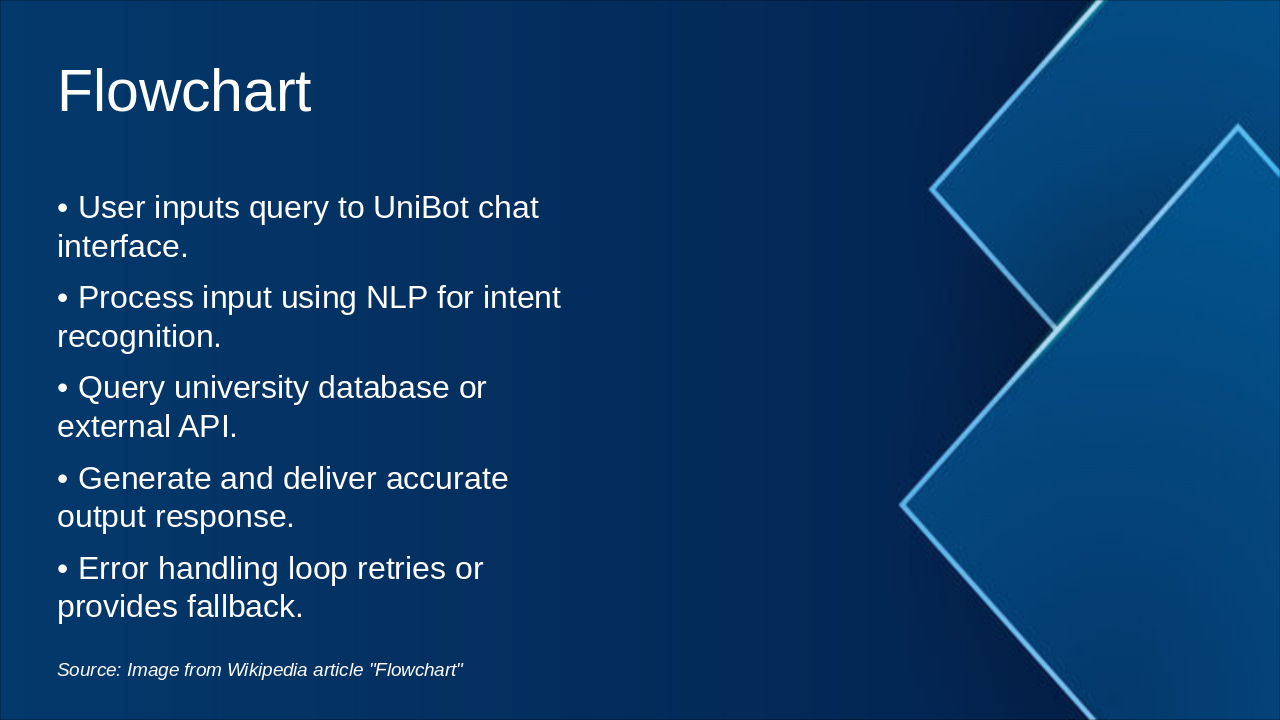
This flowchart depicts the UniBot workflow: a user inputs a query via chat, which is processed with NLP for intent recognition, followed by querying university databases or external APIs to generate and deliver responses. It also includes an error-handling loop for retries or fallbacks.

Flowchart

!Image

  • User inputs query to UniBot chat interface.
  • Process input using NLP for intent recognition.
  • Query university database or external API.
  • Generate and deliver accurate output response.
  • Error handling loop retries or provides fallback.

Source: Image from Wikipedia article "Flowchart"

Slide 16 - Flowchart
Slide 17 of 26

Slide 17 - UniBot – University Smart Chat Assistant

This section header slide for the UniBot – University Smart Chat Assistant introduces Section 7: Implementation. It lists key topics: Tools, Firebase Integration, Validation, and Testing.

UniBot – University Smart Chat Assistant

07

7. Implementation

Tools, Firebase Integration, Validation, Testing

Source: Navkis College of Engineering Final Presentation

Slide 17 - UniBot – University Smart Chat Assistant
Slide 18 of 26

Slide 18 - Tools & Integration

The slide outlines the use of VS Code, Git, and Postman for development, plus Firebase integration for Auth, Realtime DB, and Cloud Functions. It also covers unit and integration tests that achieved 95% code coverage.

Tools & Integration

  • Utilized VS Code, Git, Postman for development
  • Integrated Firebase: Auth, Realtime DB, Cloud Functions
  • Implemented unit and integration tests for validation
  • Achieved 95% code coverage in testing
Slide 18 - Tools & Integration
Slide 19 of 26

Slide 19 - 8. Results and Analysis

This slide serves as the section header for Section 08, titled "Results and Analysis." It includes the subtitle "Performance & Testing Summary."

08

Results and Analysis

Performance & Testing Summary

Slide 19 - 8. Results and Analysis
Slide 20 of 26

Slide 20 - Performance Metrics

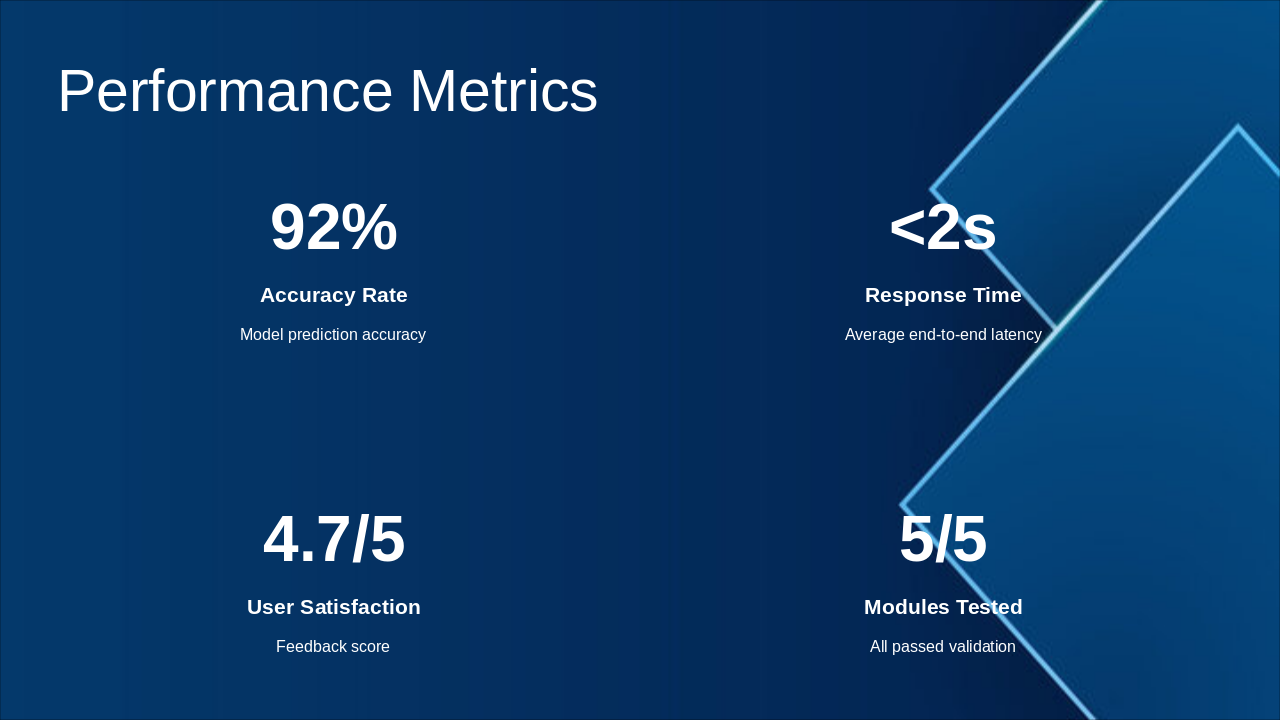
The Performance Metrics slide showcases a 92% model prediction accuracy rate and an average end-to-end response time under 2 seconds. It also reports a 4.7/5 user satisfaction score, with all modules passing validation at 5/5.

Performance Metrics

  • 92%: Accuracy Rate
  • Model prediction accuracy

  • <2s: Response Time
  • Average end-to-end latency

  • 4.7/5: User Satisfaction
  • Feedback score

  • 5/5: Modules Tested
  • All passed validation

Slide 20 - Performance Metrics
Slide 21 of 26

Slide 21 - Screenshots Summary

This slide summarizes key application screenshots, highlighting an intuitive chat UI for student queries and an admin dashboard for user management. It also features test results demonstrating high accuracy and an analytics dashboard with usage metrics.

Screenshots Summary

!Image

  • Intuitive Chat UI for student queries
  • Admin dashboard for user management
  • Test results showing high accuracy
  • Analytics dashboard with usage metrics

Source: UniBot Application

Speaker Notes
Collage showcasing Chat UI, Admin dashboard, Test results, and Analytics interfaces.
Slide 21 - Screenshots Summary
Slide 22 of 26

Slide 22 - UniBot – University Smart Chat Assistant

This section header slide is from the "UniBot – University Smart Chat Assistant" presentation. It introduces Section 09: "Conclusion and Future Enhancement," with the subtitle "Key Findings & Future Scope."

UniBot – University Smart Chat Assistant

09

Conclusion and Future Enhancement

Key Findings & Future Scope

Slide 22 - UniBot – University Smart Chat Assistant
Slide 23 of 26

Slide 23 - Conclusion

UniBot effectively streamlines university assistance processes, with proven efficacy from rigorous testing and full readiness for immediate deployment. Future enhancements will support scalability and advanced features.

Conclusion

  • UniBot streamlines university assistance processes effectively.
  • Proven efficacy validated through rigorous testing.
  • Fully ready for immediate deployment.
  • Future enhancements enable scalability and advanced features.

Source: UniBot – University Smart Chat Assistant

Speaker Notes
Summarize key achievements, proven results, deployment readiness, and future enhancements.
Slide 23 - Conclusion
Slide 24 of 26

Slide 24 - Future Enhancements

The "Future Enhancements" slide outlines three key upcoming features. They include multilingual support for diverse users, voice commands for hands-free access, and predictive analytics for proactive assistance.

Future Enhancements

  • Implement multilingual support for diverse users
  • Integrate voice commands for hands-free access
  • Add predictive analytics for proactive assistance
Slide 24 - Future Enhancements
Slide 25 of 26

Slide 25 - Thank You!

The slide, titled "Thank You!", displays the main text "Thank you for your attention!" as a conclusion. It includes a subtitle inviting questions: "Any questions?".

Thank You!

Thank you for your attention!

Any questions?

Source: Adya H Acharya et al. Guide: Mrs. Varshitha M.

Speaker Notes
Questions?
Slide 25 - Thank You!
Slide 26 of 26

Slide 26 - 10. References

This slide, titled "10. References," lists key sources for the project. It includes Google Dialogflow Documentation (2023), Firebase Integration Guide, IEEE paper "AI Chatbots in Education" (2022), ACL paper "NLP for Campus Assistants" (2021), and Navkis College API Specifications.

10. References

  • Google Dialogflow Documentation, 2023
  • Firebase Integration Guide
  • 'AI Chatbots in Education', IEEE 2022
  • 'NLP for Campus Assistants', ACL 2021
  • Navkis College API Specifications

Source: Navkis College of Engineering UniBot Presentation

Speaker Notes
List key references supporting UniBot development and research.
Slide 26 - 10. References

Discover More Presentations

Explore thousands of AI-generated presentations for inspiration

Browse Presentations
Powered by AI

Create Your Own Presentation

Generate professional presentations in seconds with Karaf's AI. Customize this presentation or start from scratch.

Create New Presentation

Powered by Karaf.ai — AI-Powered Presentation Generator