Digital Household Numbering by Bhimsi Foundation

Generated from prompt:

Create a 15–18 slide formal & corporate (blue/white theme) PowerPoint presentation with illustrative icons for the Bhimsi Foundation – Digital Household Numbering Project. Include the following sections: 1. Preface 2. About Us 3. Organization Profile 4. Organization Working Structure 5. Scope of Work 6. Advantages of Bhimsi Foundation Survey (Government, Administration, Public) 7. Mobile Application Overview 8. Survey Application (Android) 9. Login / Signup Options 10. Survey Data Entry Form 11. Survey Data Search 12. Map Route 13. Web Portal 14. User Creation / Deletion (Admin Only) 15. Why Our System is Best 16. Thank You. Use clean typography, subtle animations, and a professional layout emphasizing technology, transparency, and governance.

This presentation outlines the Bhimsi Foundation's Digital Household Numbering Project, covering its mission, structure, survey scope, advantages, mobile app features, web portal, and why the system e

December 2, 202517 slides
Slide 1 of 17

Slide 1 - Bhimsi Foundation – Digital Household Numbering Project

The slide features the title "Bhimsi Foundation – Digital Household Numbering Project," highlighting a key initiative by the Bhimsi Foundation. Its subtitle, "Advancing Governance through Digital Innovation," underscores the project's focus on leveraging technology to improve governance.

Bhimsi Foundation – Digital Household Numbering Project

Advancing Governance through Digital Innovation

Speaker Notes
Welcome slide with project title, Bhimsi Foundation logo placeholder centered at top, subtitle below title. Subtle blue gradient background (light blue to white). Include subtle tech icons (e.g., digital map, house, innovation symbols) in corners. Clean typography, professional layout.
Slide 1 - Bhimsi Foundation – Digital Household Numbering Project
Slide 2 of 17

Slide 2 - Bhimsi Foundation – Digital Household Numbering Project

The slide introduces the Bhimsi Foundation's Digital Household Numbering Project as a section header titled "Preface" (section 01). It highlights the project's goal of digitizing household numbering to enhance efficient governance, transparency, and data accuracy in urban planning.

Bhimsi Foundation – Digital Household Numbering Project

01

Preface

Digitizing household numbering for efficient governance, transparency, and data accuracy in urban planning.

Source: Bhimsi Foundation

Speaker Notes
Introduce the project's core purpose and objectives briefly.
Slide 2 - Bhimsi Foundation – Digital Household Numbering Project
Slide 3 of 17

Slide 3 - About Us

Our organization is dedicated to promoting digital solutions that enhance efficient public administration, while committing to transparency and accountability in all initiatives. Key achievements include successful tech-driven community projects, with a focus on innovating governance for improved service delivery and greater inclusion.

About Us

  • Mission: Promote digital solutions for efficient public administration.
  • Key Achievements: Successful tech-driven community projects implemented.
  • Commitment: Uphold transparency and accountability in all initiatives.
  • Empowering Governance: Innovate for better service delivery and inclusion.
Slide 3 - About Us
Slide 4 of 17

Slide 4 - Organization Profile

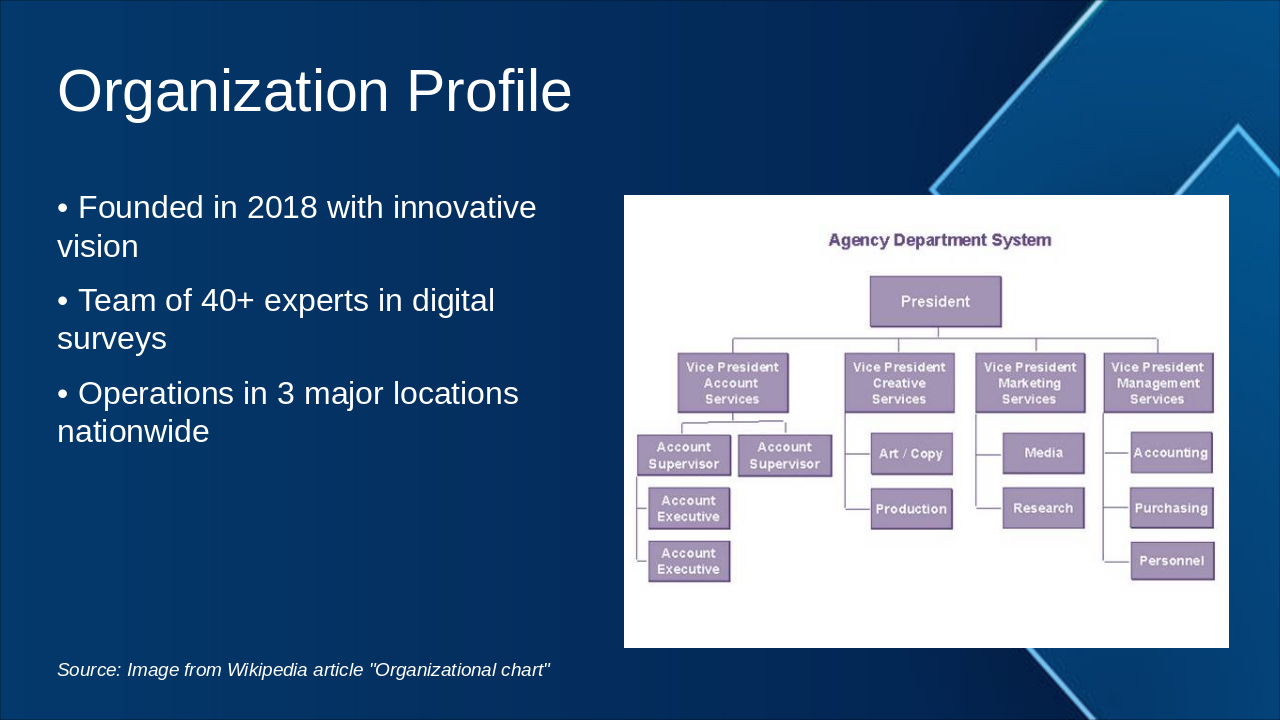
The slide titled "Organization Profile" highlights a company founded in 2018 with an innovative vision. It features a team of over 40 experts in digital surveys and operations across three major nationwide locations.

Organization Profile

!Image

  • Founded in 2018 with innovative vision
  • Team of 40+ experts in digital surveys
  • Operations in 3 major locations nationwide

Source: Image from Wikipedia article "Organizational chart"

Slide 4 - Organization Profile
Slide 5 of 17

Slide 5 - Organization Working Structure

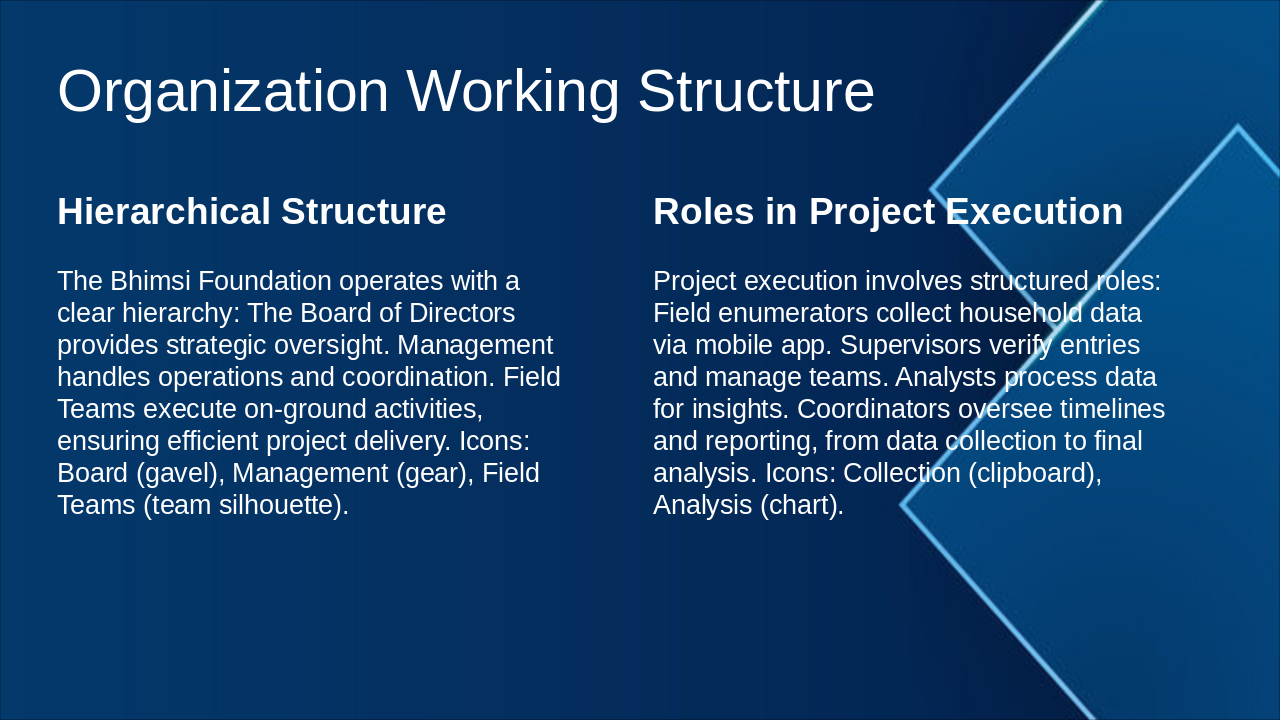
The Bhimsi Foundation's hierarchical structure features the Board of Directors for strategic oversight, Management for operations and coordination, and Field Teams for executing on-ground activities, illustrated with relevant icons. Project execution involves distinct roles including Field Enumerators for data collection, Supervisors for verification and team management, Analysts for processing insights, and Coordinators for overseeing timelines and reporting, also depicted with icons.

Organization Working Structure

Hierarchical StructureRoles in Project Execution
The Bhimsi Foundation operates with a clear hierarchy: The Board of Directors provides strategic oversight. Management handles operations and coordination. Field Teams execute on-ground activities, ensuring efficient project delivery. Icons: Board (gavel), Management (gear), Field Teams (team silhouette).Project execution involves structured roles: Field enumerators collect household data via mobile app. Supervisors verify entries and manage teams. Analysts process data for insights. Coordinators oversee timelines and reporting, from data collection to final analysis. Icons: Collection (clipboard), Analysis (chart).
Slide 5 - Organization Working Structure
Slide 6 of 17

Slide 6 - Scope of Work

The Scope of Work slide outlines defining clear project boundaries and objectives, alongside conducting household mapping in both urban and rural areas. It also covers facilitating data entry through mobile applications, integrating with a web portal for governance, and aiming for 100% digital coverage across all regions.

Scope of Work

  • Define clear project boundaries and objectives
  • Conduct household mapping in urban and rural areas
  • Facilitate data entry via mobile applications
  • Integrate with web portal for governance
  • Target 100% digital coverage across regions
Slide 6 - Scope of Work
Slide 7 of 17

Slide 7 - Advantages of Bhimsi Foundation Survey

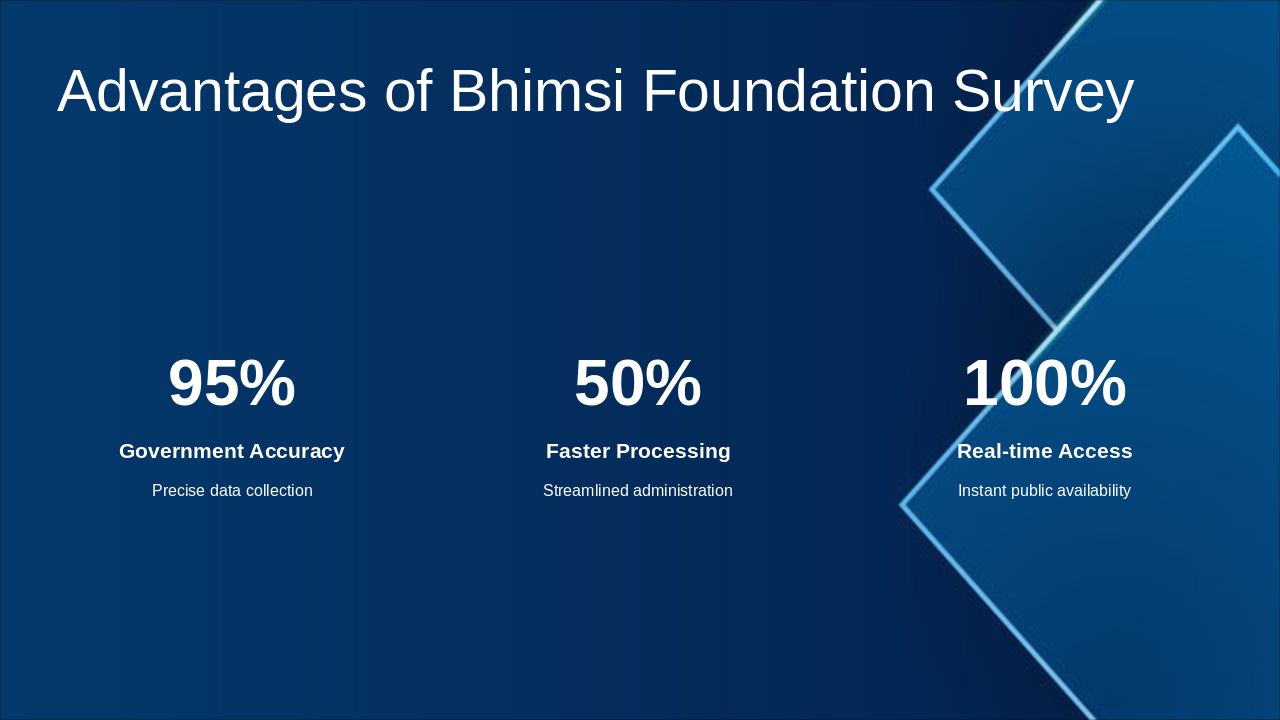
The Bhimsi Foundation Survey slide highlights key advantages through statistics, including 95% government accuracy for precise data collection. It also features 50% faster processing via streamlined administration and 100% real-time access for instant public availability.

Advantages of Bhimsi Foundation Survey

  • 95%: Government Accuracy
  • Precise data collection

  • 50%: Faster Processing
  • Streamlined administration

  • 100%: Real-time Access
  • Instant public availability

Slide 7 - Advantages of Bhimsi Foundation Survey
Slide 8 of 17

Slide 8 - Mobile Application Overview

The slide titled "Mobile Application Overview" highlights key features of a user-friendly mobile app designed for surveys, including an offline mode for seamless data collection. It also emphasizes GPS integration to enable accurate household numbering and location tracking.

Mobile Application Overview

!Image

  • User-friendly design for surveys
  • Offline mode for data collection
  • GPS integration for household numbering

Source: Android mobile application

Slide 8 - Mobile Application Overview
Slide 9 of 17

Slide 9 - Survey Application (Android)

The Survey Application for Android leverages the device's camera for seamless photo capture and enables voice input for quick, hands-free data entry, while providing secure, real-time synchronization and multilingual support for diverse field teams. It is designed for intuitive on-site use by surveyors to streamline fieldwork.

Survey Application (Android)

  • Leverages Android camera for seamless photo capture
  • Enables voice input for quick, hands-free data entry
  • Provides secure, real-time data synchronization
  • Offers multilingual support for diverse field teams
  • Designed for intuitive use by surveyors on-site
Slide 9 - Survey Application (Android)
Slide 10 of 17

Slide 10 - Login / Signup Options

The slide outlines secure login options, where users access the app quickly via PIN or biometric methods like fingerprint or face ID, with icons emphasizing security and protection. It also details the signup process for new users, involving basic details submission followed by admin approval to ensure verification and system integrity, highlighted by user-add and checkmark icons.

Login / Signup Options

Secure LoginSignup Process
Users access the app via secure PIN or biometric authentication (fingerprint/face ID), ensuring data protection and quick entry. Icons: Lock for security, fingerprint for biometrics.New users register with basic details, followed by admin approval for verification. This maintains system integrity and governance. Icons: User add for accessibility, checkmark for approval.
Slide 10 - Login / Signup Options
Slide 11 of 17

Slide 11 - Survey Data Entry Form

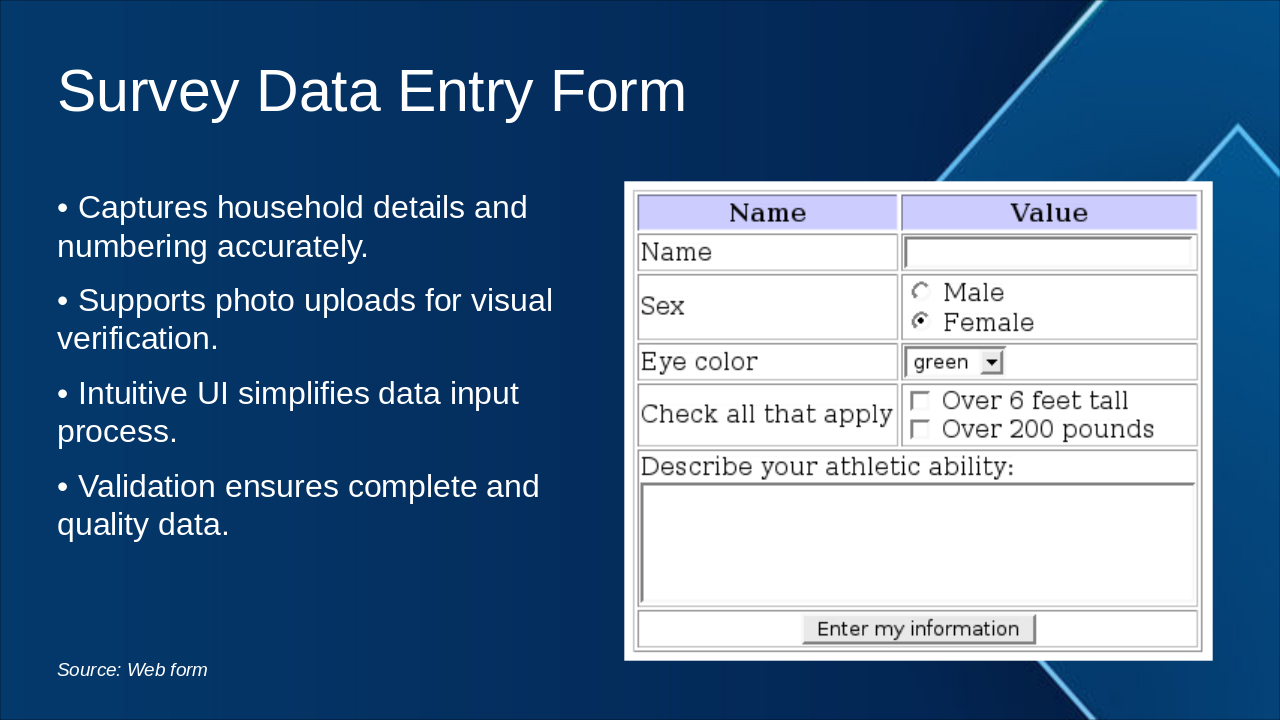
The slide titled "Survey Data Entry Form" showcases a form designed to capture accurate household details and numbering, while supporting photo uploads for visual verification. It highlights an intuitive user interface that simplifies data input and includes validation features to ensure complete and high-quality data.

Survey Data Entry Form

!Image

  • Captures household details and numbering accurately.
  • Supports photo uploads for visual verification.
  • Intuitive UI simplifies data input process.
  • Validation ensures complete and quality data.

Source: Web form

Speaker Notes
Visual of the form: Fields for household details, numbering, photos. Intuitive UI with validation to ensure data quality and completeness.
Slide 11 - Survey Data Entry Form
Slide 12 of 17

Slide 12 - Survey Data Search

The Survey Data Search slide outlines features for filtering survey data by location, date, and status to enable quick retrieval of relevant information. It also supports export options for easy data sharing, ultimately enhancing administration efficiency and public queries.

Survey Data Search

  • Filter survey data by location, date, and status
  • Enable quick retrieval of relevant information
  • Support export options for easy data sharing
  • Enhance administration efficiency and public queries
Slide 12 - Survey Data Search
Slide 13 of 17

Slide 13 - Map Route

The slide, titled "Map Route," features an interactive map image designed for surveyors to plan efficient routes with real-time GPS tracking. It highlights icons marking households along optimized paths, ultimately reducing time and resources in fieldwork surveys.

Map Route

!Image

  • Route planning for surveyors using interactive maps.
  • Real-time GPS tracking for efficient fieldwork.
  • Icons marking households along optimized paths.
  • Reduces time and resources in surveys.

Source: Geographic information system

Slide 13 - Map Route
Slide 14 of 17

Slide 14 - Web Portal

The Web Portal slide highlights a platform that delivers real-time data visualization for instant insights and generates detailed reports and analytics on project status. It also includes admin controls for monitoring progress and a centralized dashboard for governance overviews.

Web Portal

  • Offers real-time data visualization for immediate insights
  • Generates comprehensive reports and analytics on project status
  • Provides admin controls for effective progress monitoring
  • Delivers governance insights through centralized dashboard overviews
Slide 14 - Web Portal
Slide 15 of 17

Slide 15 - User Creation / Deletion (Admin Only)

Admins create users by entering profile details, assigning roles like surveyor or admin, and configuring permissions to secure access to features such as data entry or analytics. User deletion follows strict protocols requiring admin approval, confirmation, and reason logging, with all actions recorded in audit logs to ensure transparency and compliance.

User Creation / Deletion (Admin Only)

User Creation ProcessUser Deletion Protocols
Admins create users by inputting profile details and assigning roles like surveyor or admin. Permissions are configured per role to restrict access to sensitive features such as data entry or analytics, ensuring secure and role-based access management.Deletion requires admin approval, confirmation, and logging of reasons. All actions generate audit logs for tracking and compliance, preventing unauthorized access and maintaining transparency in user lifecycle management.
Slide 15 - User Creation / Deletion (Admin Only)
Slide 16 of 17

Slide 16 - Why Our System is Best

Our system stands out due to its scalable architecture that enables seamless expansion and high performance, paired with advanced security protocols that effectively protect sensitive data. It also features an integrated tech stack for optimized workflows, superior accuracy in data handling, enhanced user experience for better accessibility, and a cost-effective design that maximizes value in digital governance.

Why Our System is Best

  • Scalable architecture supports seamless expansion and high performance.
  • Advanced security protocols safeguard sensitive data effectively.
  • Integrated tech stack optimizes workflows for efficiency.
  • Superior accuracy ensures reliable data collection and analysis.
  • Enhanced user experience promotes accessibility and ease.
  • Cost-effective design delivers value in digital governance.
Slide 16 - Why Our System is Best
Slide 17 of 17

Slide 17 - Thank You

The slide, titled "Thank You," serves as a conclusion by expressing gratitude for the audience's attention. It includes a subtitle inviting contact at info@bhimsi.org to discuss potential collaboration opportunities.

Thank You

Thank you for your attention.

Contact us at info@bhimsi.org to explore collaboration opportunities.

Source: Bhimsi Foundation – Digital Household Numbering Project

Speaker Notes
Closing slide: Contact info, call to action for collaboration. Gratitude for attention, with project logo and subtle animation fade-out.
Slide 17 - Thank You

Discover More Presentations

Explore thousands of AI-generated presentations for inspiration

Browse Presentations
Powered by AI

Create Your Own Presentation

Generate professional presentations in seconds with Karaf's AI. Customize this presentation or start from scratch.

Create New Presentation

Powered by Karaf.ai — AI-Powered Presentation Generator