Steel Structure Design Essentials

Generated from prompt:

create ppt slides based on this: Slide 1 Title: Introduction to Structural Engineering Subtitle: CE470 – Structural Steel Design Content: Course focus: Design of steel structures Topics: Structural members, connections, loads, and design methods Objective: Understand the systematic process of structural design Slide 2 Title: The Structural Design Process Content: Systematic and iterative process Involves multiple stakeholders: Owner Architect Engineer Fabricator/Contractor Building Official Slide 3 Title: Key Steps in Structural Design Content: Identify use and occupancy Develop architectural plans Identify structural framework Estimate loads Analyze structure Design members and connections Verify design Fabricate and erect Inspect and approve Slide 4 Title: Roles and Responsibilities Content: Owner: Decides use, approves plans Architect: Ensures functionality and aesthetics Engineer: Ensures safety and serviceability Fabricator: Fabricates members economically Contractor: Erects structure in the field Building Official: Ensures code compliance Slide 5 Title: Structural Design: Material Choices Content: Materials used in construction: Steel Reinforced concrete Steel-concrete composite Course focus: Steel structures Slide 6 Title: Structural Framing Systems Content: Types of frames: Moment-resisting frames Braced frames Dual frames Shear wall frames Course focus: Braced and moment-resisting frames Slide 7 Title: Design Approach Content: Compare material + framing alternatives Choose most efficient and economical design Design individual members and connections Slide 8 Title: Example: Four-Story Office Building Content: Location: West Lafayette Layout: 2 bays (25 ft) N-S 3 bays (35 ft) E-W Roof truss system Slide 9 Title: Structural Frames in N-S Direction Content: 4 braced frames All connections: pin/hinge type Diagonal bracing for stability Resists gravity and lateral loads Slide 10 Title: Structural Frames in E-W Direction Content: 3 moment frames All connections: fixed/moment type No bracing needed Resists gravity and lateral loads Slide 11 Title: Types of Structural Members Content: Tension member – axial tension only Column – axial compression only Tension/compression member – both axial forces Beam – flexural loads only (shear + moment) Beam-column – combined axial + flexural loads Slide 12 Title: Member Behavior in Trusses Content: All members connected with pins Loads applied at joints Members carry axial forces only (tension/compression) Slide 13 Title: Member Behavior in Braced Frames Content: Beams: flexural loads only Columns: axial compression only Braces: tension/compression only Slide 14 Title: Member Behavior in Moment Frames Content: Beams: flexural loads only Beam-columns: combined axial + flexural loads Slide 15 Title: Types of Structural Connections Content: Truss/bracing connections – transfer axial forces Simple shear connections – transfer shear only Fully-restrained moment connections – transfer shear + moment Partially-restrained connections – partial moment transfer Slide 16 Title: Connection Methods: Bolts Content: Used for plates in same plane High-strength steel bolts Holes drilled, bolts secured with nuts Easy field assembly Slide 17 Title: Connection Methods: Welds Content: Electric arc melts base metal + electrode Forms continuous joint upon cooling Can connect plates in different planes Requires skilled welders Slide 18 Title: Example: Truss Connection Content: Members welded to gusset plate Axial forces transferred through gusset Bolted alternatives possible Slide 19 Title: Example: Shear Connection Content: Double-angle bolted to beam web and column flange Transfers shear only Economical field assembly Slide 20 Title: Example: Moment Connection Content: Beam flanges welded to column (full penetration) Beam web bolted to shear tab Transfers both shear and moment Slide 21 Title: Types of Structural Loads Content: Dead loads (D) – permanent Live loads (L) – variable Wind loads (W) – lateral pressure/suction Snow loads (S) – vertical, seasonal Roof live loads (Lr) – maintenance, equipment Slide 22 Title: Dead Loads (D) Content: Weight of all permanent materials Estimated from material densities Examples: Steel frame: 60–75 lb/ft² Concrete frame: 110–130 lb/ft² Slide 23 Title: Live Loads (L) Content: Due to occupancy and use Values from ASCE/SEI 7-10 Can be uniform or concentrated May be reduced for large floor areas Slide 24 Title: Live Load Reduction Content: Applied when K L L A T ≥ 400 ft 2 K LL ​ A T ​ ≥400 ft 2 Formula: L = L 0 ( 0.25 + 15 K L L A T ) L=L 0 ​ (0.25+ K LL ​ A T ​ ​ 15 ​ ) Minimum limits apply Slide 25 Title: Live Load Element Factor K L L K LL ​ Content: Interior columns: 4.0 Edge columns: 3.0 Corner columns/edge beams: 2.0 Others: 1.0 Slide 26 Title: Example: Live Load Calculation (Step I) Content: Determine tributary areas Identify K L L K LL ​ values Calculate reduction factor L / L 0 L/L 0 ​ Slide 27 Title: Example: Live Load Calculation (Step II) Content: Calculate distributed loads on beams Example: w = 0.85 × 50 × 25 / 1000 = 1.06 kip/ft w=0.85×50×25/1000=1.06 kip/ft Slide 28 Title: Example: Live Load Calculation (Step III) Content: Estimate concentrated loads on columns From orthogonal beams: 17.34 kips, 28.125 kips Slide 29 Title: Example: Live Load Calculation (Step IV) Content: Check column loads directly Compare with beam-based results Use larger values for design Slide 30 Title: Roof Live Loads (Lr) Content: Formula: L r = 20 R 1 R 2 L r ​ =20R 1 ​ R 2 ​ (psf) Limits: 12 ≤ L r ≤ 20 12≤L r ​ ≤20 R 1 R 1 ​ depends on tributary area R 2 R 2 ​ depends on roof slope Slide 31 Title: Wind Loads (W) Content: Act as pressure/suction on surfaces Cause lateral loads and uplift Design methods: Simplified Analytical Wind tunnel Slide 32 Title: Wind Velocity Pressure Content: Formula: q z = 0.00256 K z K z t K d V 2 q z ​ =0.00256K z ​ K zt ​ K d ​ V 2 For West Lafayette: V = 115 mph V=115 mph q z = 28.78 K z q z ​ =28.78K z ​ psf Slide 33 Title: Wind Pressure on Buildings Content: Formula: p = q G C p − q i ( G C p i ) p=qGC p ​ −q i ​ (GC pi ​ ) G = 0.85 G=0.85 (gust factor) C p C p ​ : external coefficient G C p i GC pi ​ : internal coefficient Slide 34 Title: Example: Wind Load Calculation Content: Wind direction: E-W C p C p ​ values: Windward: +0.8 Leeward: -0.3 Side: -0.7 Slide 35 Title: Example: External Wind Pressures Content: Windward: 19.57 K z 19.57K z ​ psf (toward) Leeward: 6.38 6.38 psf (away) Side: 14.90 14.90 psf (away) Slide 36 Title: Example: Internal Wind Pressures Content: Enclosed building: G C p i = ± 0.18 GC pi ​ =±0.18 q i ( G C p i ) = 4.51 q i ​ (GC pi ​ )=4.51 psf (toward/away) Slide 37 Title: Load and Resistance Factor Design (LRFD) Content: AISC-recommended method Uses factored loads and resistance factors Ensures safety and reliability Slide 38 Title: LRFD Load Combinations Content: Common combinations: 1.4 D 1.4D 1.2 D + 1.6 L + 0.5 ( L r or S ) 1.2D+1.6L+0.5(L r ​ or S) 1.2 D + 1.6 ( L r or S ) + ( 0.5 L or 0.5 W ) 1.2D+1.6(L r ​ or S)+(0.5L or 0.5W) 1.2 D + 1.0 W + 0.5 L + 0.5 ( L r or S ) 1.2D+1.0W+0.5L+0.5(L r ​ or S) 0.9 D + 1.0 W 0.9D+1.0W Slide 39 Title: LRFD Design Inequality Content: Design requirement: ϕ R n ≥ ∑ γ i Q i ϕR n ​ ≥∑γ i ​ Q i ​ ϕ ϕ: resistance factor R n R n ​ : nominal strength γ i γ i ​ : load factor Q i Q i ​ : nominal load Slide 40 Title: Summary & Key Takeaways Content: Structural design is collaborative Members and connections behave differently under loads Loads must be estimated using codes (ASCE 7) LRFD ensures safe and economical design Next: Detailed design of steel members in CE470

Overview of structural steel design process for CE470: stakeholders, steps, framing systems, member types, connections (bolts/welds), load calculations (dead/live/wind/snow), and LRFD method, with off

February 3, 20268 slides
Slide 1 of 8

Slide 1 - Introduction to Structural Engineering

This title slide introduces the "CE470 – Structural Steel Design" course, focusing on the design of steel structures. It covers topics like structural members, connections, loads, and design methods, with the objective of understanding the systematic process of structural design.

Course focus: Design of steel structures

Topics: Structural members, connections, loads, and design methods

Objective: Understand the systematic process of structural design

CE470 – Structural Steel Design

Source: CE470 – Structural Steel Design
Slide 1 - Introduction to Structural Engineering
Slide 2 of 8

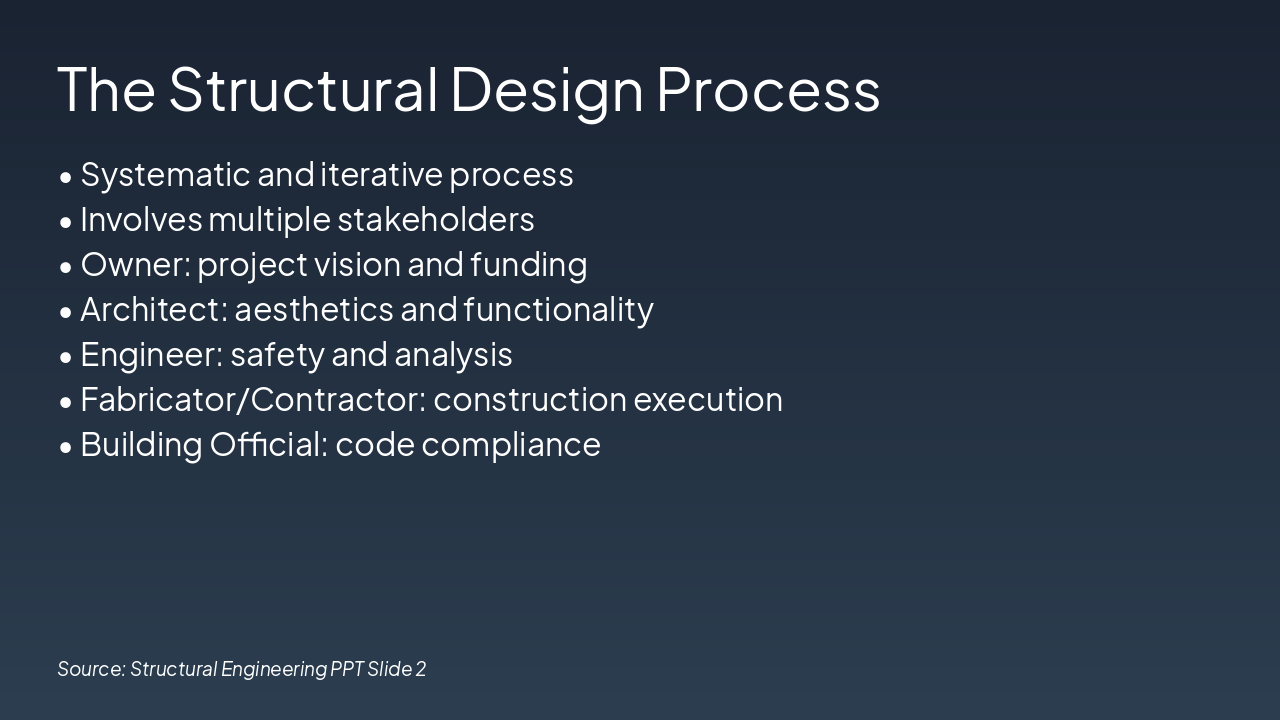
Slide 2 - The Structural Design Process

The Structural Design Process is a systematic and iterative approach involving multiple stakeholders, including the owner for vision and funding, architect for aesthetics and functionality, engineer for safety and analysis, fabricator/contractor for construction execution, and building official for code compliance. This collaborative effort ensures comprehensive project development from concept to completion.

The Structural Design Process

  • Systematic and iterative process
  • Involves multiple stakeholders
  • Owner: project vision and funding
  • Architect: aesthetics and functionality
  • Engineer: safety and analysis
  • Fabricator/Contractor: construction execution
  • Building Official: code compliance

Source: Structural Engineering PPT Slide 2

Speaker Notes
Emphasize the collaborative, iterative nature involving key stakeholders from project initiation through completion.
Slide 2 - The Structural Design Process
Slide 3 of 8

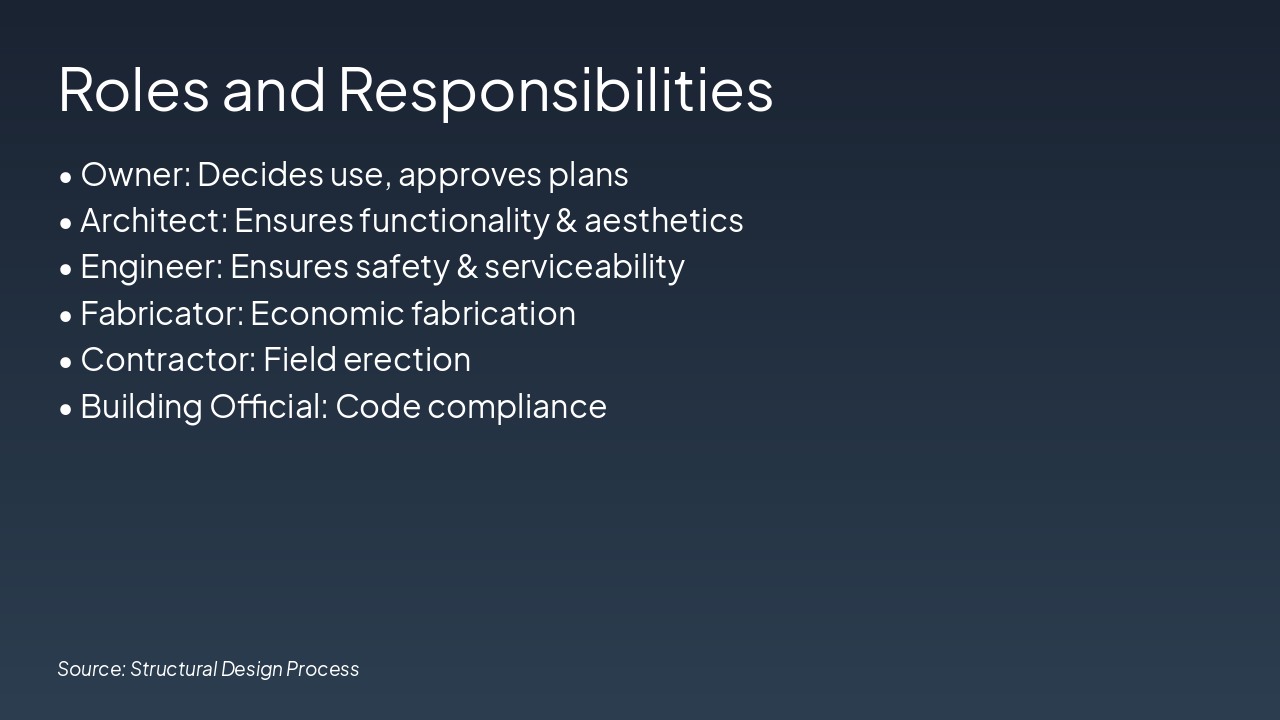
Slide 3 - Roles and Responsibilities

The slide outlines key roles in construction projects: the Owner decides use and approves plans, the Architect ensures functionality and aesthetics, and the Engineer guarantees safety and serviceability. It also covers the Fabricator for economic fabrication, the Contractor for field erection, and the Building Official for code compliance.

Roles and Responsibilities

  • Owner: Decides use, approves plans
  • Architect: Ensures functionality & aesthetics
  • Engineer: Ensures safety & serviceability
  • Fabricator: Economic fabrication
  • Contractor: Field erection
  • Building Official: Code compliance

Source: Structural Design Process

Speaker Notes
Multiple stakeholders collaborate in structural design, each with distinct roles ensuring project success.
Slide 3 - Roles and Responsibilities
Slide 4 of 8

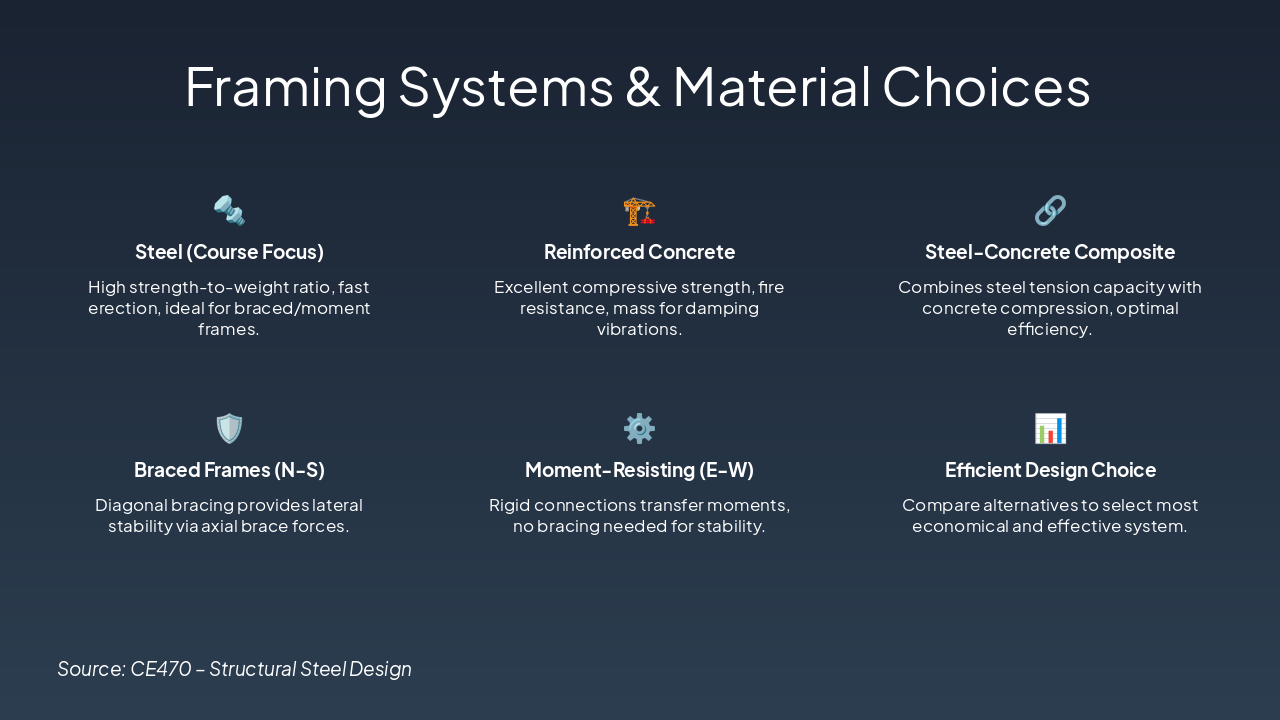
Slide 4 - Framing Systems & Material Choices

This slide presents key framing systems and material choices for structural design, focusing on steel (high strength-to-weight ratio for braced/moment frames), reinforced concrete (compressive strength and fire resistance), and steel-concrete composites (optimal efficiency). It also covers braced frames (N-S direction for lateral stability), moment-resisting frames (E-W direction without bracing), and guidance on selecting the most economical option through comparison.

Framing Systems & Material Choices

Source: CE470 – Structural Steel Design
Slide 4 - Framing Systems & Material Choices
Slide 5 of 8

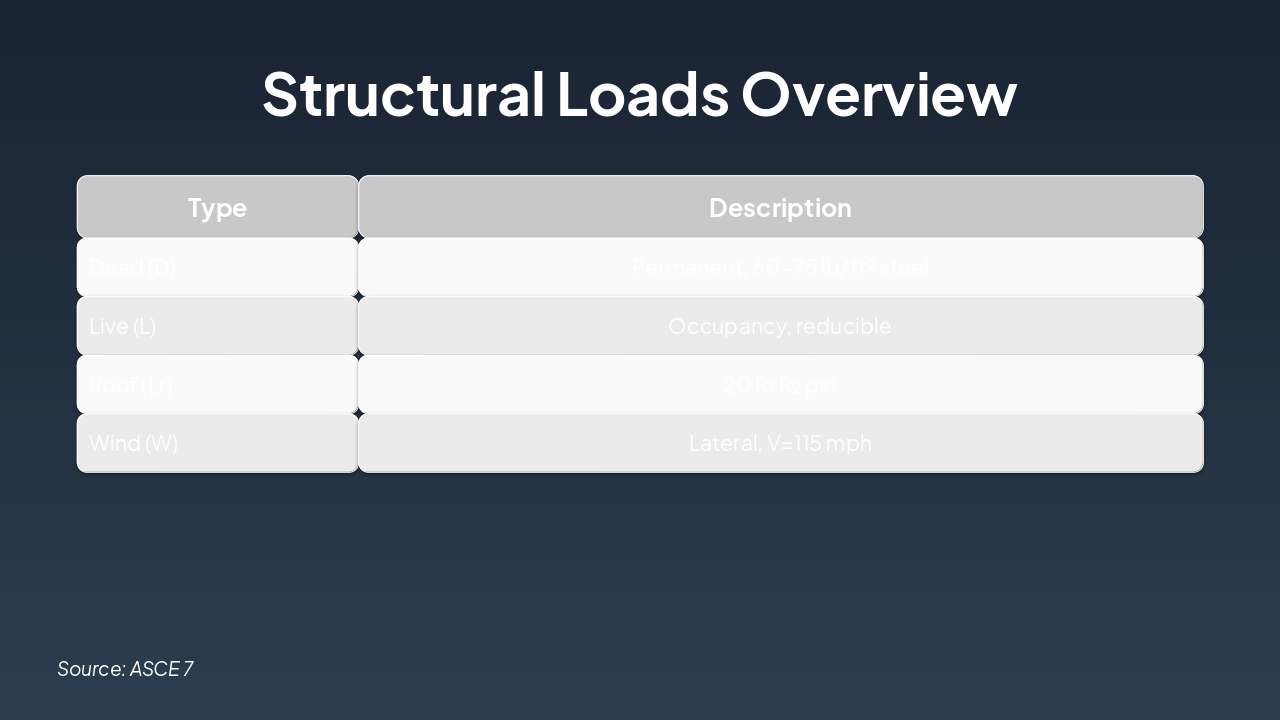
Slide 5 - Structural Loads Overview

The slide provides an overview of structural loads in a table format, listing types such as Dead (permanent steel load of 60-75 lb/ft²), Live (reducible occupancy load), Roof (20 R₁ R₂ psf), and Wind (lateral load with V=115 mph). It categorizes each load type alongside a concise description of its nature and key parameters.

Structural Loads Overview

TypeDescription
Dead (D)Permanent, 60-75 lb/ft² steel
Live (L)Occupancy, reducible
Roof (Lr)20 R₁ R₂ psf
Wind (W)Lateral, V=115 mph

Source: ASCE 7

Speaker Notes
Overview of key structural load types with descriptions and typical values for steel structures.
Slide 5 - Structural Loads Overview
Slide 6 of 8

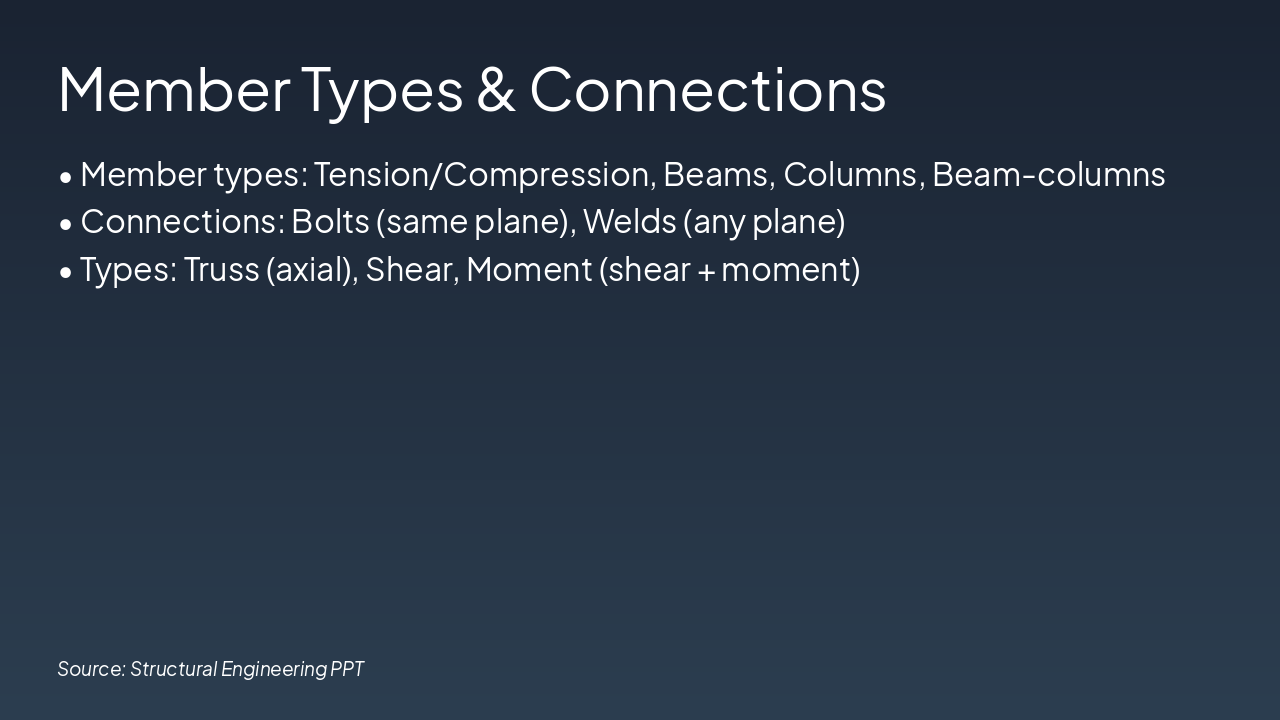
Slide 6 - Member Types & Connections

The slide outlines key member types in structural engineering, including Tension/Compression, Beams, Columns, and Beam-columns. It also covers connection methods like Bolts (same plane) and Welds (any plane), along with connection types such as Truss (axial), Shear, and Moment (shear + moment).

Member Types & Connections

  • Member types: Tension/Compression, Beams, Columns, Beam-columns
  • Connections: Bolts (same plane), Welds (any plane)
  • Types: Truss (axial), Shear, Moment (shear + moment)

Source: Structural Engineering PPT

Speaker Notes
Covers primary member types handling various forces and connection methods. Links to prior framing systems discussion.
Slide 6 - Member Types & Connections
Slide 7 of 8

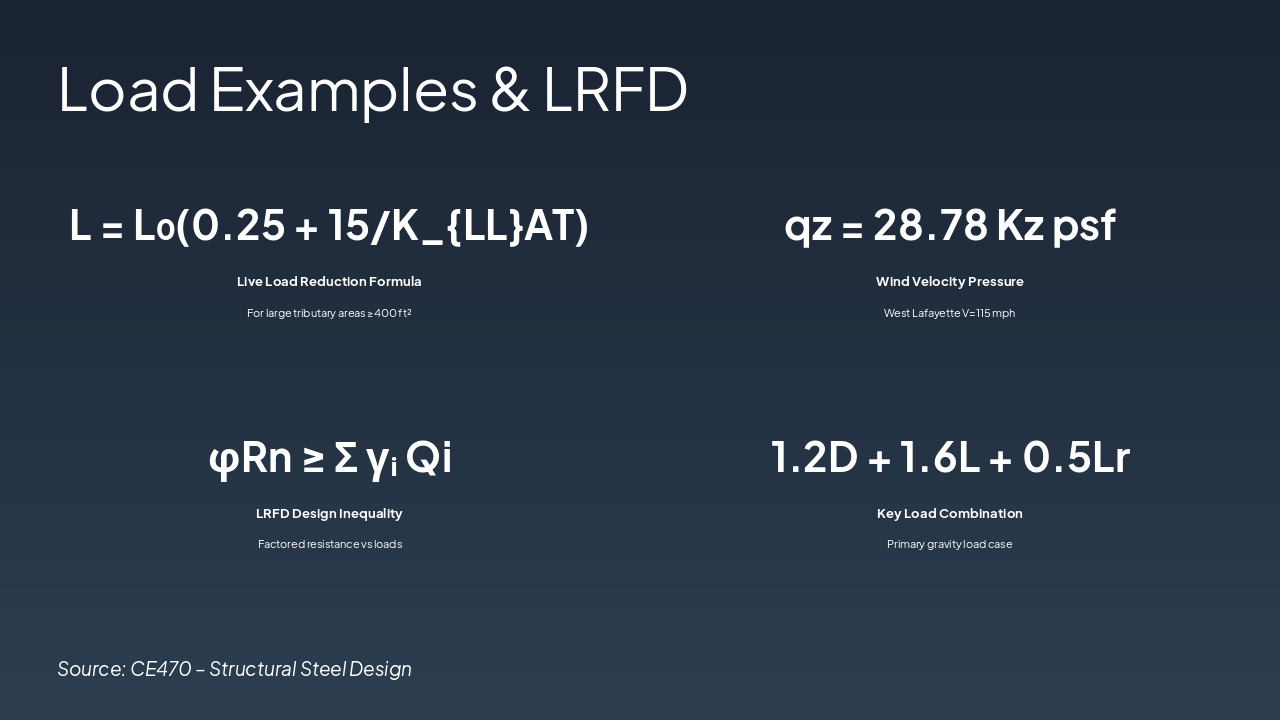
Slide 7 - Load Examples & LRFD

This slide presents key load examples and LRFD concepts, including the live load reduction formula L = L₀(0.25 + 15/K{LL}AT) for tributary areas ≥400 ft² and wind velocity pressure qz = 28.78 Kz psf for West Lafayette (V=115 mph). It also features the LRFD design inequality φRn ≥ Σ γᵢ Qi and a primary gravity load combination 1.2D + 1.6L + 0.5Lr.

Load Examples & LRFD

  • L = L₀(0.25 + 15/K{LL}AT): Live Load Reduction Formula
  • For large tributary areas ≥400 ft²

  • qz = 28.78 Kz psf: Wind Velocity Pressure
  • West Lafayette V=115 mph

  • φRn ≥ Σ γᵢ Qi: LRFD Design Inequality
  • Factored resistance vs loads

  • 1.2D + 1.6L + 0.5Lr: Key Load Combination

Primary gravity load case Source: CE470 – Structural Steel Design
Slide 7 - Load Examples & LRFD
Slide 8 of 8

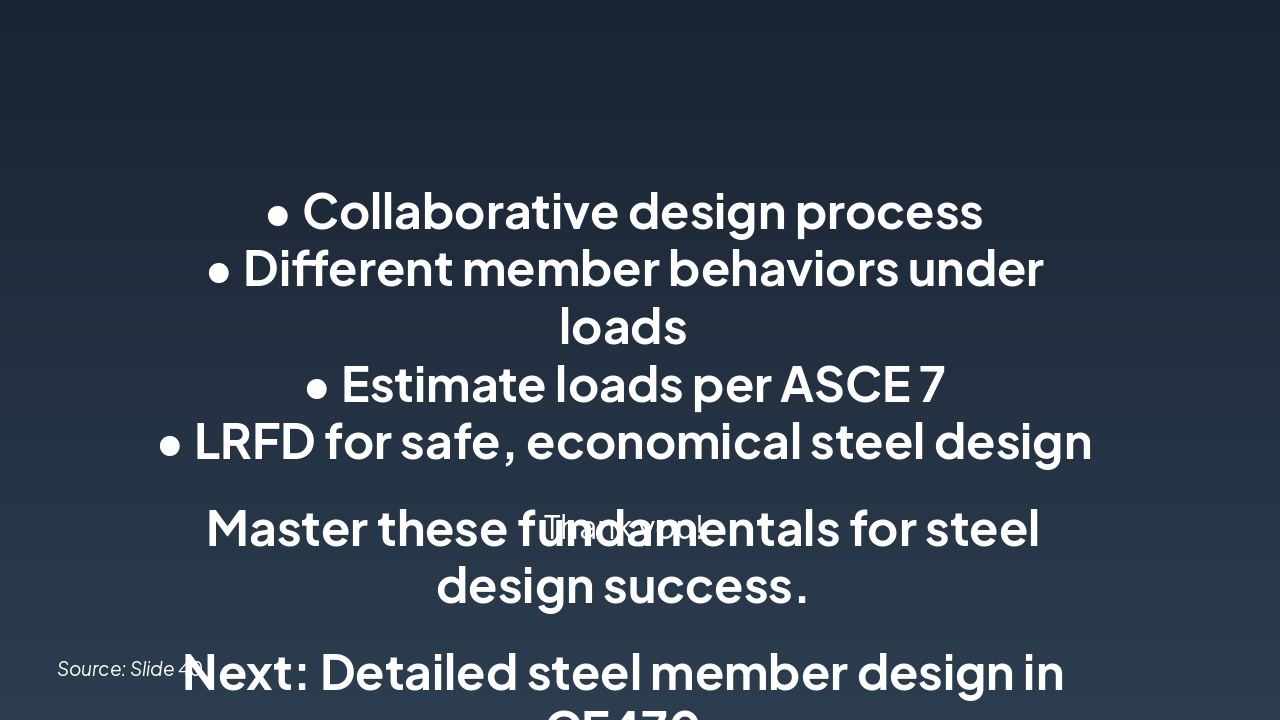
Slide 8 - Summary & Key Takeaways

The slide summarizes key takeaways from steel design fundamentals, including a collaborative design process, varying member behaviors under loads, load estimation per ASCE 7, and LRFD for safe, economical steel design. It urges mastering these basics for success and previews detailed steel member design in CE470, ending with "Thank you!"

Summary & Key Takeaways

• Collaborative design process

  • Different member behaviors under loads
  • Estimate loads per ASCE 7
  • LRFD for safe, economical steel design

Master these fundamentals for steel design success.

Next: Detailed steel member design in CE470

Thank you!

Source: Slide 40

Speaker Notes
Closing message: 'Master these fundamentals for steel design success.' Call-to-action: 'Prepare for detailed steel member design in upcoming CE470 lectures.'
Slide 8 - Summary & Key Takeaways

Discover More Presentations

Explore thousands of AI-generated presentations for inspiration

Browse Presentations
Powered by AI

Create Your Own Presentation

Generate professional presentations in seconds with Karaf's AI. Customize this presentation or start from scratch.

Create New Presentation

Powered by Karaf.ai — AI-Powered Presentation Generator