Slide 1 of 12
Slide 1 - Computer Upgrade Management System
Computer Upgrade Management System
Spreadsheet-Based Solution for PC Upgrade Planning & Quotation
---
Photo by Brian J. Tromp on Unsplash
Generated from prompt:
Create a modern, professional presentation titled 'Computer Upgrade Management System'. Use a sleek dark-blue and neon accent business-tech theme with clean layouts, icons, subtle animations, and infographic-style visuals. Slides: 1. Cover Slide - Title: Computer Upgrade Management System - Subtitle: Spreadsheet-Based Solution for PC Upgrade Planning & Quotation - Include modern computer hardware visuals and a professional tech aesthetic. 2. Project Overview - Explain the purpose of the system: - Manage computer components efficiently - Build customer upgrade packages - Automatically calculate prices and quotations - Improve technician workflow and reduce manual errors - Include workflow diagram. 3. Main Menu Dashboard - Showcase a redesigned dashboard with buttons/cards for: - Parts Database - Upgrade Builder - Comparison Sheet - Customer Quotations - Reports & Analytics - Add modern UI mockup design. 4. Parts Database System - Present a polished spreadsheet table with columns: - Part ID - Component Type - Brand - Model - Cost Price - Markup % - Final Sale Price - Stock Status - Include sample components like AMD Ryzen CPUs, NVIDIA GPUs, Samsung SSDs. - Mention use of XLOOKUP for automatic data retrieval. 5. Upgrade Builder Interface - Design a professional customer configuration form. - Fields: - Customer Name - Budget - CPU - RAM - SSD - Graphics Card - Motherboard - Power Supply - Explain dropdown menus and automatic compatibility checks. 6. Upgrade Comparison Sheet - Create a visually engaging comparison table with 3 upgrade tiers: - Budget Build - Performance Build - Enthusiast Build - Compare specifications, pricing, performance rating, and recommendation. - Highlight recommended option visually. 7. Automated Calculations & Formulas - Explain spreadsheet automation using: - SUM - IF - XLOOKUP - Data Validation - Show example formulas: - Sale Price = Cost + (Cost × Markup %) - Technician Fee = IF(Total>1000,0,100) - Use diagrams/icons instead of plain text-heavy layouts. 8. Data Validation & Security - Explain: - Dropdown validation - Positive-number restrictions - Markup limits - Locked formula cells - Error prevention messages - Include shield/security graphics. 9. Customer Quotation Output - Display a premium-looking quotation example. - Include company branding style. - Show itemized pricing and automatic total calculation. - Add note for technician fee discount when applicable. 10. Benefits of the System - Faster upgrade planning - Reduced human error - Improved quotation accuracy - Better customer experience - Scalable for repair shops and IT businesses - Use icon-based layout. 11. Future Improvements - Cloud database integration - Automated inventory tracking - Customer login portal - AI-powered component recommendations - Export to PDF and email quotations 12. Conclusion - Summarize how the system improves efficiency, accuracy, and professionalism. - End with a strong modern closing slide saying: 'Smart Upgrade Planning for Modern IT Services' Ensure every slide is visually impressive, presentation-ready, and suitable for a distinction-level academic or business project.
This presentation introduces a spreadsheet-based system for efficient computer upgrade management. Key features include a parts database with automated pricing, an intuitive upgrade builder interface, tiered comparison sheets, automated calculations using Excel formulas like XLOOKUP and IF, data validation for security, professional customer quotation outputs, and benefits like reduced errors and faster workflows. Future enhancements such as cloud integration and AI recommendations are also discussed.
Computer Upgrade Management System
Spreadsheet-Based Solution for PC Upgrade Planning & Quotation
---
Photo by Brian J. Tromp on Unsplash
---
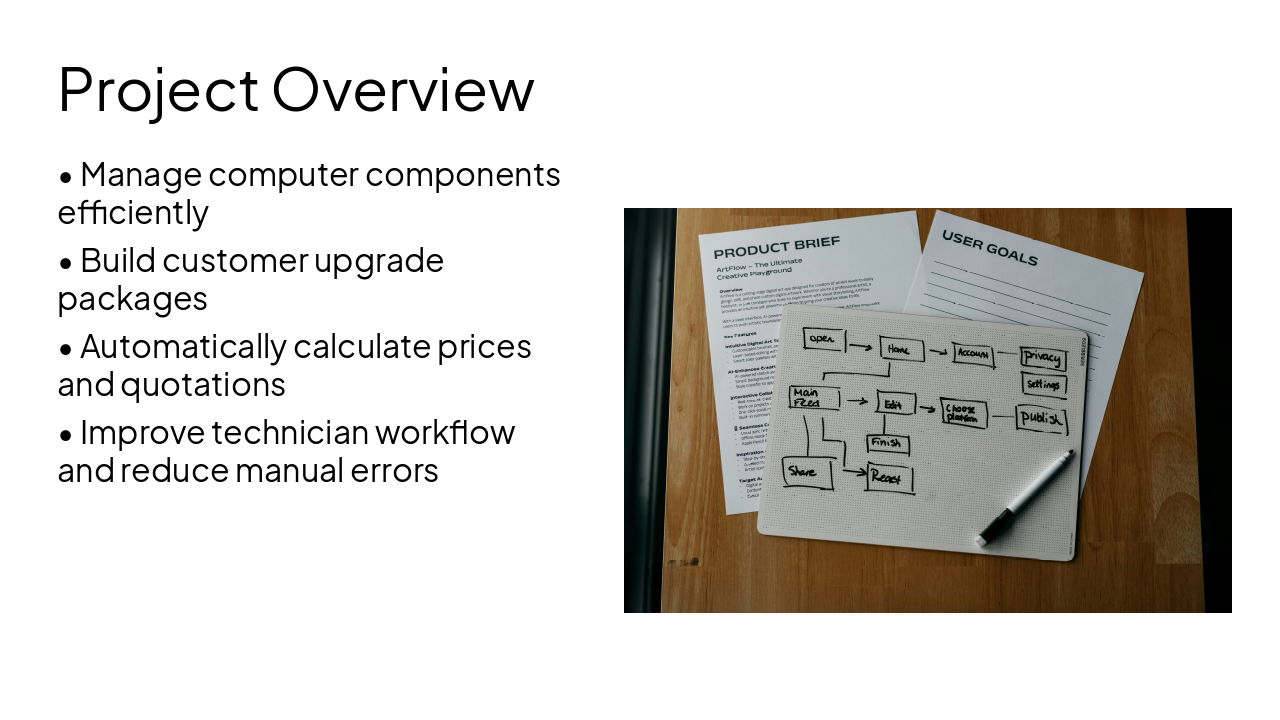
Photo by Kelly Sikkema on Unsplash
---
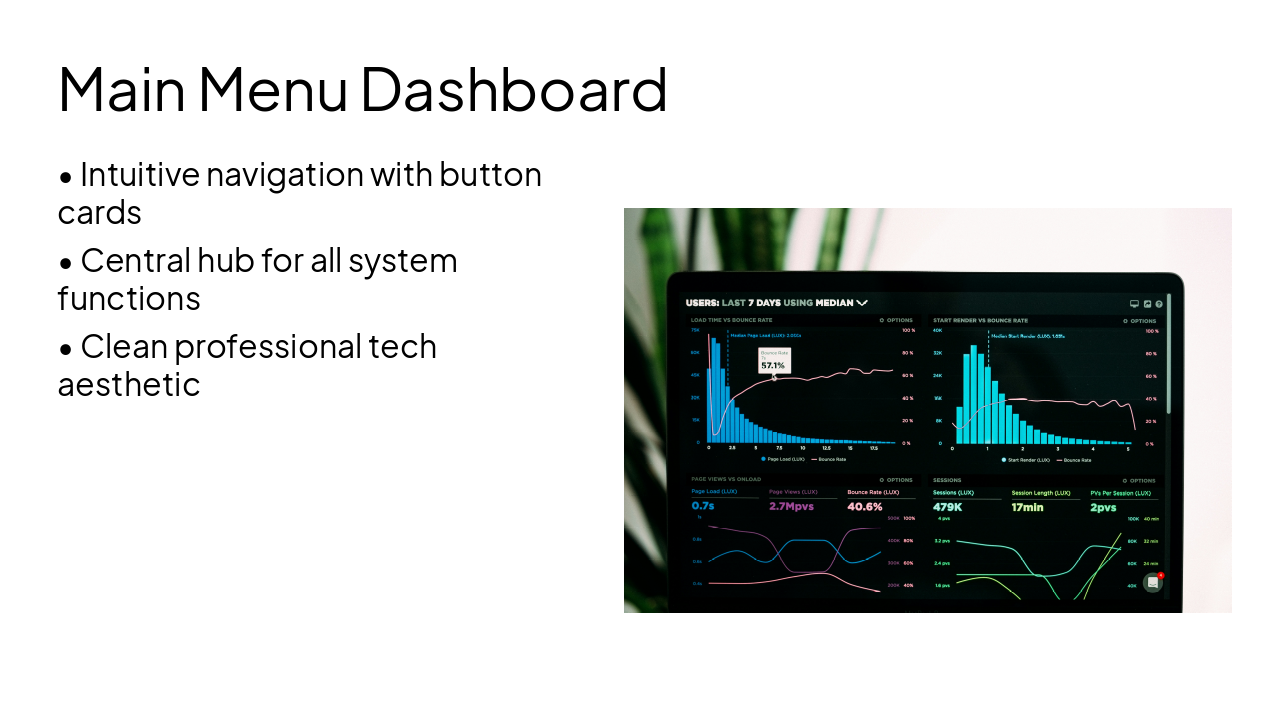
Photo by Luke Chesser on Unsplash
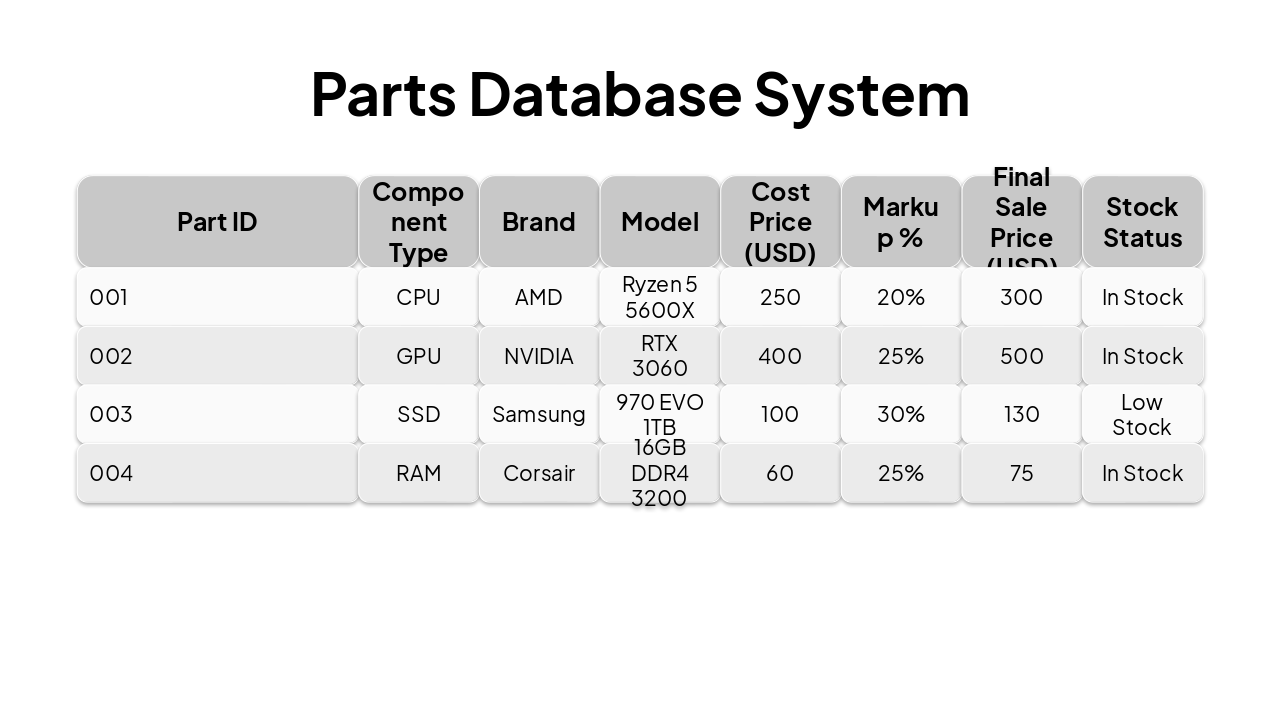
| Part ID | Component Type | Brand | Model | Cost Price (USD) | Markup % | Final Sale Price (USD) | Stock Status |
|---|---|---|---|---|---|---|---|
| 001 | CPU | AMD | Ryzen 5 5600X | 250 | 20% | 300 | In Stock |
| 002 | GPU | NVIDIA | RTX 3060 | 400 | 25% | 500 | In Stock |
| 003 | SSD | Samsung | 970 EVO 1TB | 100 | 30% | 130 | Low Stock |
| 004 | RAM | Corsair | 16GB DDR4 3200 | 60 | 25% | 75 | In Stock |
---
Photo by Karthik Swarnkar on Unsplash
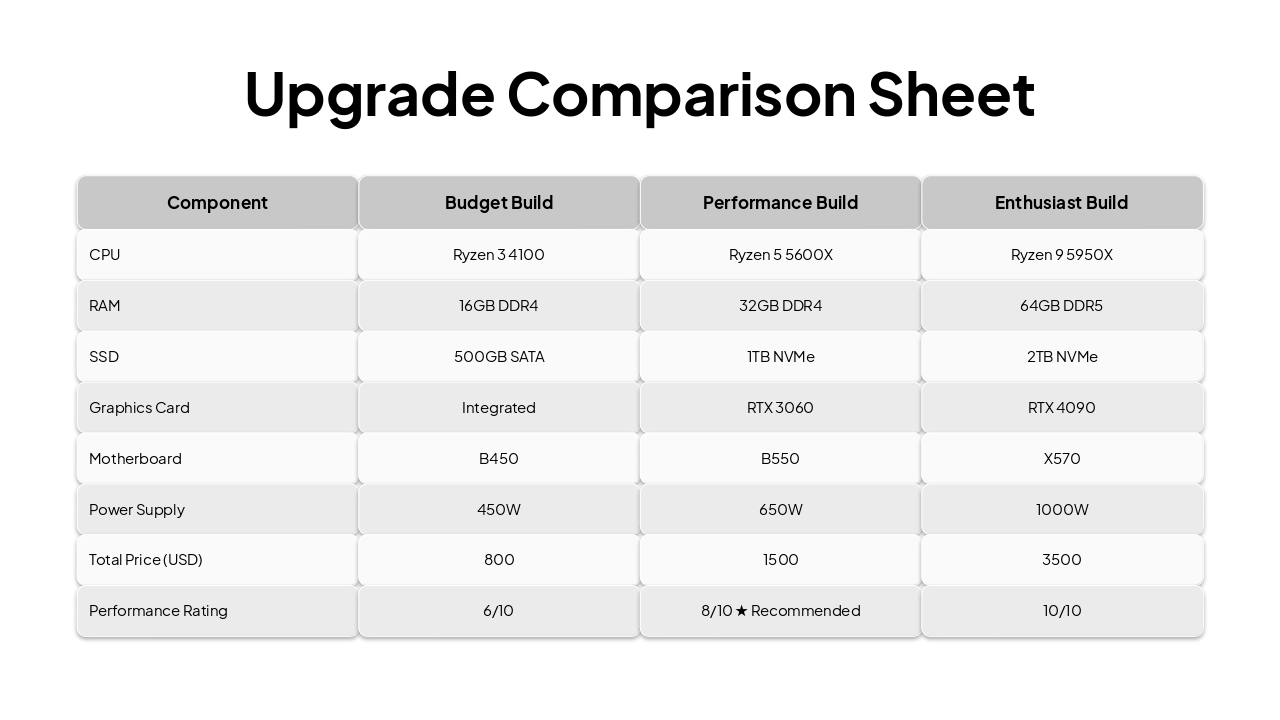
| Component | Budget Build | Performance Build | Enthusiast Build |
|---|---|---|---|
| CPU | Ryzen 3 4100 | Ryzen 5 5600X | Ryzen 9 5950X |
| RAM | 16GB DDR4 | 32GB DDR4 | 64GB DDR5 |
| SSD | 500GB SATA | 1TB NVMe | 2TB NVMe |
| Graphics Card | Integrated | RTX 3060 | RTX 4090 |
| Motherboard | B450 | B550 | X570 |
| Power Supply | 450W | 650W | 1000W |
| Total Price (USD) | 800 | 1500 | 3500 |
| Performance Rating | 6/10 | 8/10 ★ Recommended | 10/10 |
---
Photo by Rubaitul Azad on Unsplash
---
Photo by Philipp Katzenberger on Unsplash
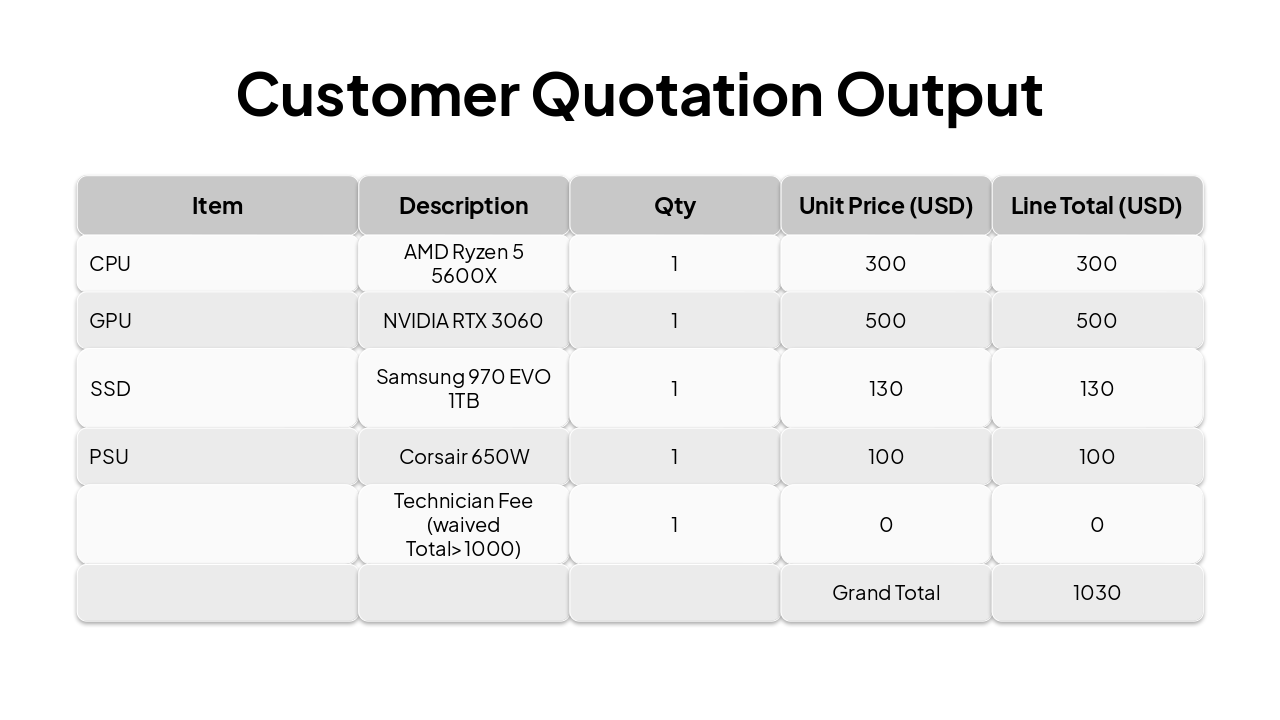
| Item | Description | Qty | Unit Price (USD) | Line Total (USD) |
|---|---|---|---|---|
| CPU | AMD Ryzen 5 5600X | 1 | 300 | 300 |
| GPU | NVIDIA RTX 3060 | 1 | 500 | 500 |
| SSD | Samsung 970 EVO 1TB | 1 | 130 | 130 |
| PSU | Corsair 650W | 1 | 100 | 100 |
| Technician Fee (waived Total>1000) | 1 | 0 | 0 | |
| Grand Total | 1030 |
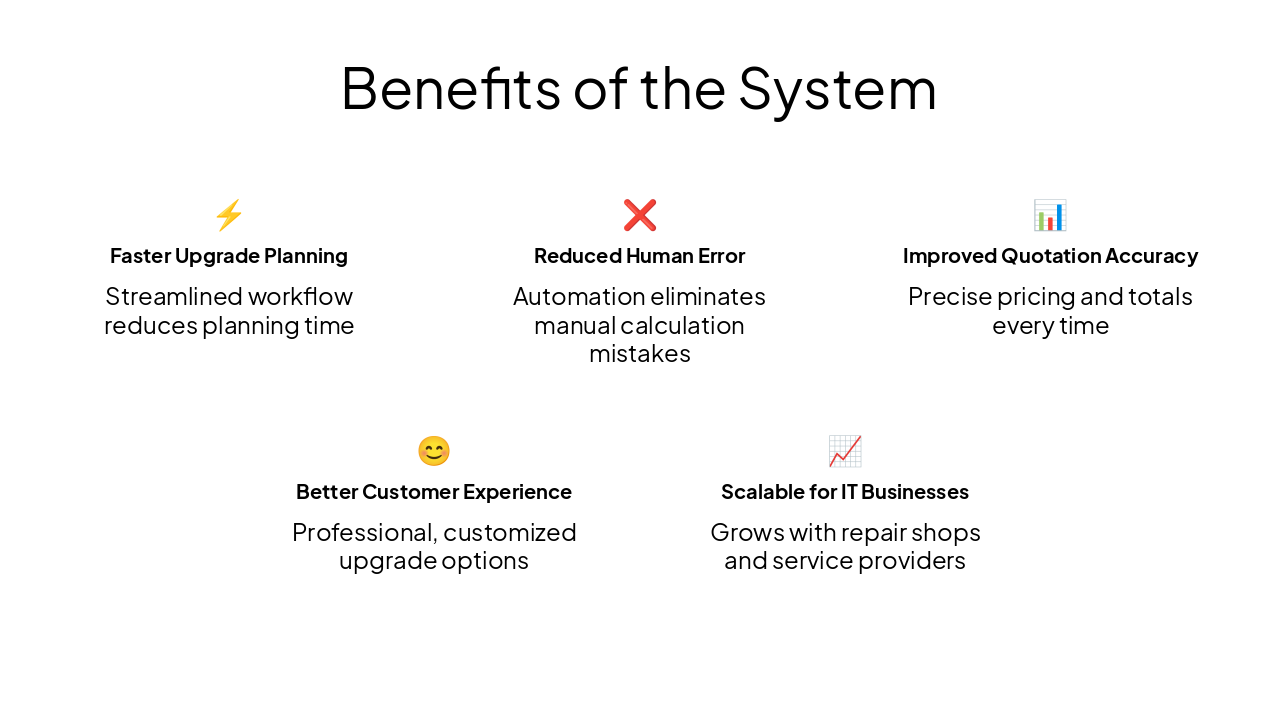
⚡ Faster Upgrade Planning Streamlined workflow reduces planning time
❌ Reduced Human Error Automation eliminates manual calculation mistakes
📊 Improved Quotation Accuracy Precise pricing and totals every time
😊 Better Customer Experience Professional, customized upgrade options
📈 Scalable for IT Businesses Grows with repair shops and service providers
Explore thousands of AI-generated presentations for inspiration
Generate professional presentations in seconds with Karaf's AI. Customize this presentation or start from scratch.
