2462: DO IT for Campus Event Boost

Generated from prompt:

Create a 15-slide creative-style English presentation titled '2462', based on the DO IT creativity technique applied to improving campus event promotion. Structure: 1. Cover: Title '2462' and subtitle 'Applying the DO IT Creativity Technique to Campus Event Promotion' 2. Agenda 3. Project Background – low participation in campus events 4. Introduction to the DO IT model (Define, Open Mind, Identify, Transform) 5. Define Stage: Understanding the real problem 6. Define Stage: Key insights and constraints 7. Open Mind Stage: Encouraging divergent thinking 8. Open Mind Stage: Creative ideas generated (videos, QR posters, photo booths) 9. Identify Stage: Evaluating options systematically 10. Identify Stage: The chosen combination (videos + QR posters) 11. Transform Stage: From ideas to action plan 12. Transform Stage: Implementation details (team, tools, timeline) 13. Results and effectiveness (views, QR scans, engagement) 14. Key learnings and reflection 15. Thank You / Q&A Design style: modern, colorful, creative, with visuals illustrating idea generation and teamwork.

Applies DO IT creativity technique to reverse 40% drop in campus event attendance: defines issues, generates ideas (videos, QR posters), selects combo, implements via team/timeline, achieves higher vi

December 14, 202515 slides
Slide 1 of 15

Slide 1 - 2462

This is title slide 2462, featuring "2462" as its main text. The subtitle describes "Applying the DO IT Creativity Technique to Campus Event Promotion."

2462

Applying the DO IT Creativity Technique to Campus Event Promotion

Slide 1 - 2462
Slide 2 of 15

Slide 2 - Agenda

The agenda slide outlines five key sections: Project Background on low campus event participation, DO IT Stages (Define, Open, Identify, Transform process), and Results & Effectiveness via views, QR scans, and engagement metrics. It concludes with Key Learnings from insights and reflections, followed by Q&A.

Agenda

  1. Project Background
  2. Low participation in campus events

  3. DO IT Stages
  4. Define, Open, Identify, Transform process

  5. Results & Effectiveness
  6. Views, QR scans, engagement metrics

  7. Key Learnings
  8. Insights and project reflections

  9. Q&A
  10. Questions and discussion

Slide 2 - Agenda
Slide 3 of 15

Slide 3 - Project Background

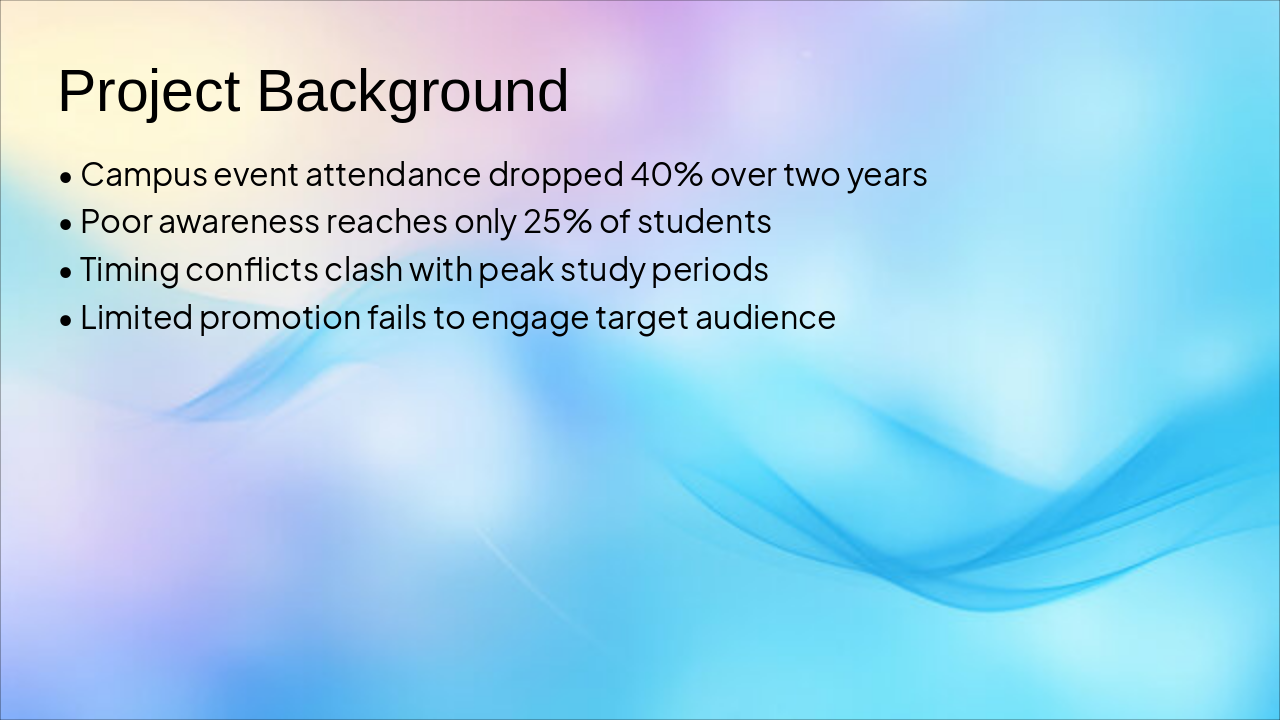
The Project Background slide outlines challenges with campus events, including a 40% attendance drop over two years. Key issues are poor awareness reaching only 25% of students, timing conflicts with study periods, and limited promotion failing to engage the audience.

Project Background

  • Campus event attendance dropped 40% over two years
  • Poor awareness reaches only 25% of students
  • Timing conflicts clash with peak study periods
  • Limited promotion fails to engage target audience
Slide 3 - Project Background
Slide 4 of 15

Slide 4 - Introduction to DO IT Model

This slide serves as the section header for Section 04, titled "Introduction to DO IT Model." The subtitle defines DO IT as Define, Open Mind, Identify, Transform—a structured creativity technique for problem-solving.

04

Introduction to DO IT Model

Define, Open Mind, Identify, Transform: structured creativity technique for problem-solving.

Slide 4 - Introduction to DO IT Model
Slide 5 of 15

Slide 5 - Define Stage: Understanding the Real Problem

In the Define Stage, pinpoint root causes of low event participation like lack of buzz, inaccessible info, and competing events. Gather data via surveys and stakeholder feedback to uncover true barriers and analyze constraints in current promotion strategies.

Define Stage: Understanding the Real Problem

  • Pinpoint root causes: lack of buzz, inaccessible info, competing events
  • Gather data via surveys and stakeholder feedback
  • Uncover true barriers to event participation
  • Analyze constraints in current promotion strategies

Source: DO IT Creativity Technique

Slide 5 - Define Stage: Understanding the Real Problem
Slide 6 of 15

Slide 6 - Define Stage: Key Insights & Constraints

The slide's left column on Key Insights reveals students prefer interactive promotions like QR codes, polls, social challenges, and real-time participation over static posters to boost excitement and attendance. The right column on Constraints notes a tight budget, short timelines, and reliance on student volunteers, free software, and campus facilities only.

Define Stage: Key Insights & Constraints

Key InsightsConstraints
Students crave interactive promotions over static posters. They want engaging experiences like QR codes, polls, social challenges, and real-time participation to boost excitement and attendance.Tight budget limits expensive tools or ads. Short timelines require rapid execution. Limited resources rely on student volunteers, free software, and campus facilities only.
Slide 6 - Define Stage: Key Insights & Constraints
Slide 7 of 15

Slide 7 - Open Mind Stage: Encouraging Divergent Thinking

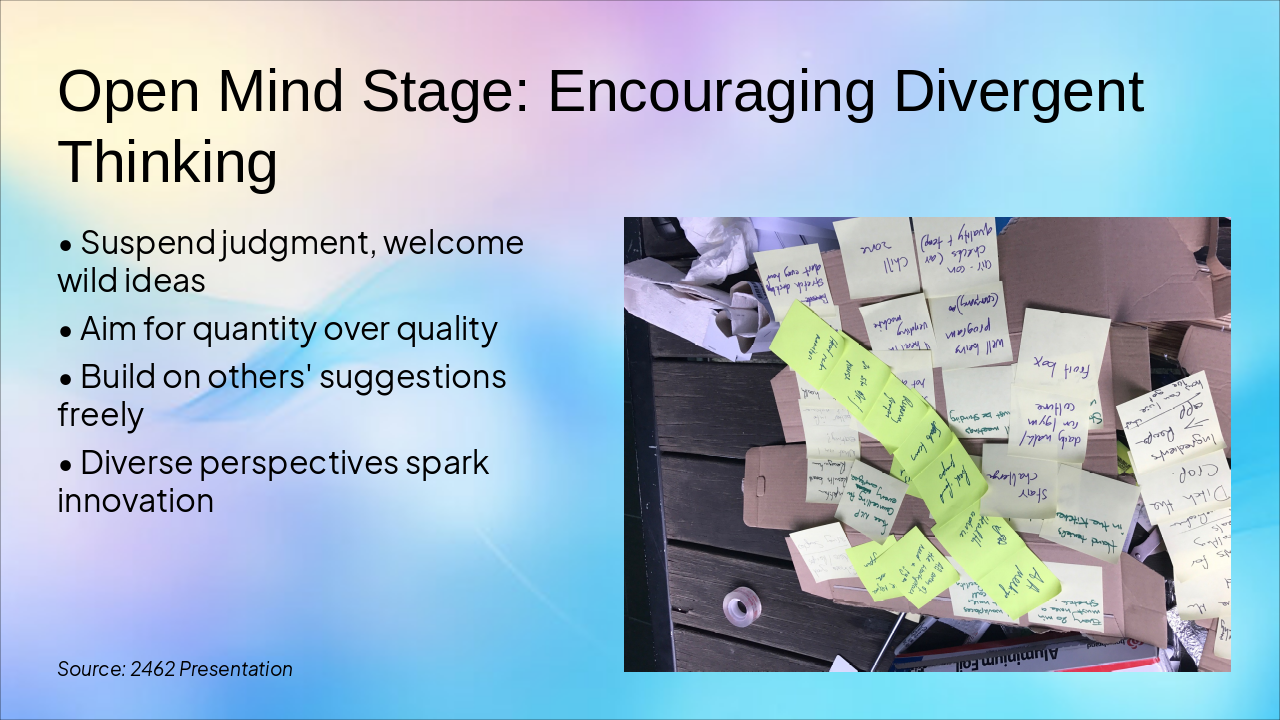
The "Open Mind Stage" slide promotes divergent thinking by suspending judgment and welcoming wild ideas. It stresses aiming for quantity over quality, building freely on others' suggestions, and using diverse perspectives to spark innovation.

Open Mind Stage: Encouraging Divergent Thinking

!Image

  • Suspend judgment, welcome wild ideas
  • Aim for quantity over quality
  • Build on others' suggestions freely
  • Diverse perspectives spark innovation

Source: 2462 Presentation

Speaker Notes
Visual: Brainstorming session with diverse ideas flowing. Promote wild, no-judgment ideation.
Slide 7 - Open Mind Stage: Encouraging Divergent Thinking
Slide 8 of 15

Slide 8 - Open Mind Stage: Creative Ideas Generated

The "Open Mind Stage: Creative Ideas Generated" slide showcases a feature grid of five innovative promotional tools. These include Social Buzz Videos for viral sharing, QR Code Posters for quick access, Fun Photo Booths for memorable content, Flash Mob Events for organic buzz, and AR Social Filters for engaging overlays.

Open Mind Stage: Creative Ideas Generated

{ "features": [ { "icon": "🎥", "heading": "Social Buzz Videos", "description": "Short clips spark viral sharing and excitement on social media." }, { "icon": "📱", "heading": "QR Code Posters", "description": "Scan for instant access to event details and registrations." }, { "icon": "📸", "heading": "Fun Photo Booths", "description": "Interactive setups for shareable, memorable user content." }, { "icon": "🎉", "heading": "Flash Mob Events", "description": "Surprise performances create buzz and draw crowds organically." }, { "icon": "🚀", "heading": "AR Social Filters", "description": "Augmented reality overlays for fun, viral engagement." } ] }

Speaker Notes
Emphasize divergent thinking: generate wild ideas without judgment to boost event promotion.
Slide 8 - Open Mind Stage: Creative Ideas Generated
Slide 9 of 15

Slide 9 - Identify Stage: Evaluating Options Systematically

This slide evaluates three ideas—Promotional Videos, QR Code Posters, and Photo Booths—on feasibility, impact, and cost (1-5 scale), yielding total scores and rankings. QR Code Posters ranks first (14 points), followed by Promotional Videos (12 points, rank 2) and Photo Booths (9 points, rank 3).

Identify Stage: Evaluating Options Systematically

{ "headers": [ "Idea", "Feasibility (1-5)", "Impact (1-5)", "Cost (1-5)", "Total Score", "Rank" ], "rows": [ [ "Promotional Videos", "4", "5", "3", "12", "2" ], [ "QR Code Posters", "5", "4", "5", "14", "1" ], [ "Photo Booths", "3", "4", "2", "9", "3" ] ] }

Slide 9 - Identify Stage: Evaluating Options Systematically
Slide 10 of 15

Slide 10 - Identify Stage: The Chosen Combination

The slide presents Videos + QR posters as the chosen high-impact combination for the Identify Stage. It highlights their low cost, seamless implementation, synergy (videos driving QR scans), and optimality for event promotion success.

Identify Stage: The Chosen Combination

  • Videos + QR posters: high-impact duo
  • Low cost, budget-friendly production
  • Easy to implement together seamlessly
  • Synergistic: videos drive QR scans
  • Optimal for event promotion success
Slide 10 - Identify Stage: The Chosen Combination
Slide 11 of 15

Slide 11 - Transform Stage: From Ideas to Action Plan

The slide details the "Transform Stage: From Ideas to Action Plan" workflow across four phases: Refine Ideas (Creative Team, 1 week), Plan Resources (Project Lead, 2 days), Produce Content (Production Team, 1 week), and Launch Campaign (Marketing Team, 3 days). Key activities include selecting video/QR poster concepts, assigning roles and budgeting tools, shooting/designing content, and distributing/monitoring the campaign.

Transform Stage: From Ideas to Action Plan

{ "headers": [ "Phase", "Owner", "Duration", "Key Activities" ], "rows": [ [ "Refine Ideas", "Creative Team", "1 Week", "Select & detail videos + QR posters concepts" ], [ "Plan Resources", "Project Lead", "2 Days", "Assign roles, budget tools (cameras, design apps)" ], [ "Produce Content", "Production Team", "1 Week", "Shoot videos, design/print QR posters" ], [ "Launch Campaign", "Marketing Team", "3 Days", "Distribute posters, upload videos, monitor scans" ] ] }

Slide 11 - Transform Stage: From Ideas to Action Plan
Slide 12 of 15

Slide 12 - Transform Stage: Implementation Details

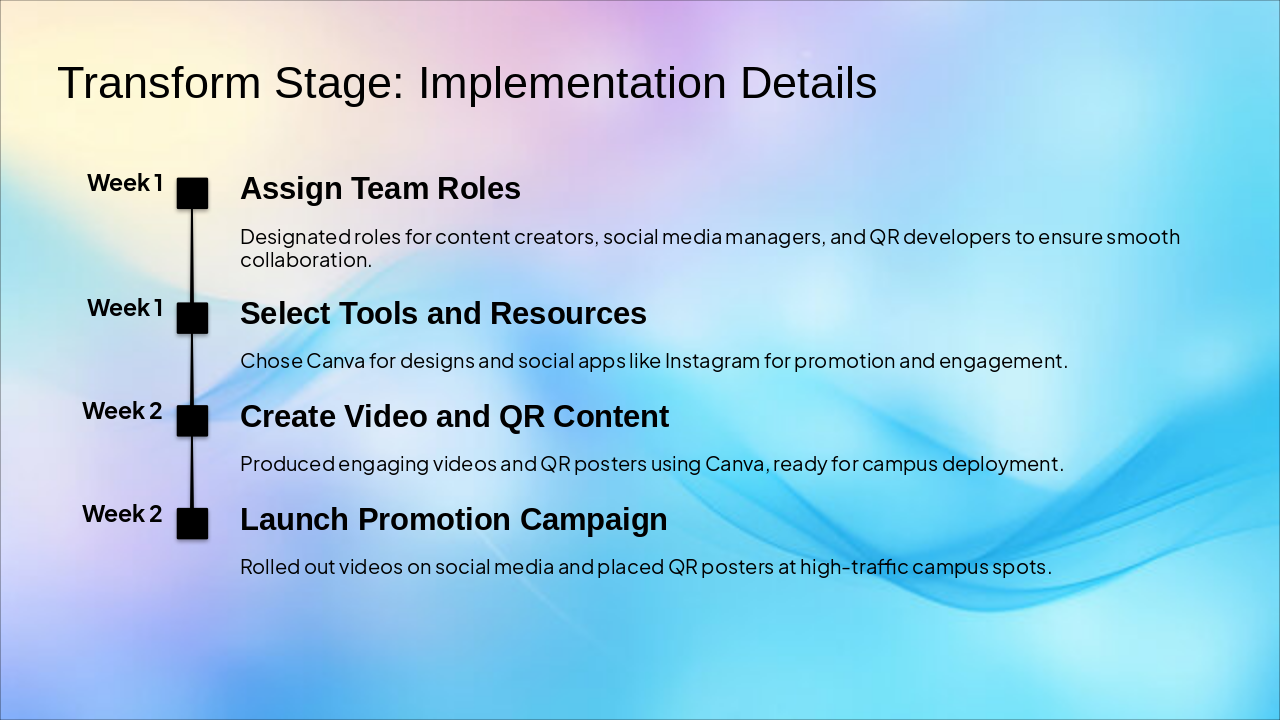
In Week 1 of the Transform Stage, the team assigned roles for content creators, social media managers, and QR developers, and selected tools like Canva and Instagram. In Week 2, they created engaging videos and QR posters, then launched the promotion campaign via social media and high-traffic campus spots.

Transform Stage: Implementation Details

Week 1: Assign Team Roles Designated roles for content creators, social media managers, and QR developers to ensure smooth collaboration. Week 1: Select Tools and Resources Chose Canva for designs and social apps like Instagram for promotion and engagement. Week 2: Create Video and QR Content Produced engaging videos and QR posters using Canva, ready for campus deployment. Week 2: Launch Promotion Campaign Rolled out videos on social media and placed QR posters at high-traffic campus spots.

Slide 12 - Transform Stage: Implementation Details
Slide 13 of 15

Slide 13 - Results and Effectiveness

The "Results and Effectiveness" slide showcases key metrics: 5K total video views across platforms and 1K successful QR scans for event redemptions. It also highlights a 30% uplift in engagement and participation rates.

Results and Effectiveness

  • 5K: Video Views
  • Total views across platforms

  • 1K: QR Scans
  • Successful event redemptions

  • 30%: Engagement Uplift
  • Increase in participation rates

Slide 13 - Results and Effectiveness
Slide 14 of 15

Slide 14 - Key Learnings and Reflection

This slide, titled "Key Learnings and Reflection," features a quote from Jordan Lee, Innovation Strategist & DO IT Facilitator. The quote emphasizes that creativity flourishes in structure, with the DO IT technique (Define, Open, Identify, Transform) driving innovative event promotion and boosted participation via disciplined thinking and actionable plans.

Key Learnings and Reflection

> Creativity thrives in structure. The DO IT technique—Define, Open, Identify, Transform—unlocked innovative event promotion, surging participation through disciplined divergent thinking and actionable plans.

— Jordan Lee, Innovation Strategist & DO IT Facilitator

Source: DO IT Creativity Technique Reflection

Speaker Notes
'Creativity thrives in structure.' Reflections on DO IT success and future apps.
Slide 14 - Key Learnings and Reflection
Slide 15 of 15

Slide 15 - Thank You / Q&A

The slide, titled "Thank You / Q&A," thanks the audience for their attention. It invites questions and encourages collaboration on campus events at events@campus.edu.

Thank You / Q&A

Thank you for your attention!

Questions? Let's collaborate on campus events – events@campus.edu

Source: 2462: DO IT Creativity Technique

Speaker Notes
Thanks for listening! Questions? Contact info and next steps.
Slide 15 - Thank You / Q&A

Discover More Presentations

Explore thousands of AI-generated presentations for inspiration

Browse Presentations
Powered by AI

Create Your Own Presentation

Generate professional presentations in seconds with Karaf's AI. Customize this presentation or start from scratch.

Create New Presentation

Powered by Karaf.ai — AI-Powered Presentation Generator