Mastering Dates: Ordinals, Months & Days

Generated from prompt:

Create a clean, modern PowerPoint presentation for middle school students on 'Ordinal Numbers, Months, Days of the Week, and Writing the Date.' The lesson should last about 55 minutes and focus on speaking and writing. Use realistic images with short, clear text (no long explanations). Use a modern pastel color palette (white backgrounds, soft blues, greens, and peach tones). Structure: 1. Title Slide – 'Ordinal Numbers, Months, Days & Dates' with a clean layout and photo background. 2. Warm-Up – Realistic image of a calendar or classroom; short task like 'What day is it today?' 3. Ordinal Numbers – Photo of medals or podium with '1st, 2nd, 3rd'; short text list up to 10th. 4. Months of the Year – Calendar image grid; months labeled clearly. 5. Days of the Week – Modern layout with 7-day timeline and photo of clock/schedule. 6. Writing the Date – Example visuals like a chalkboard or planner showing 'Monday, 5th of June'. 7. Practice – Fill-in exercise with visuals (missing date parts on a calendar). 8. Speaking Practice – 'When is your birthday?' with images of cakes and party scenes. 9. Writing Practice – Slide showing notebook image; students write 3 sentences using dates. 10. Production – Visual of classroom project board; prompt to create a birthday calendar. 11. Wrap-Up – Modern icons, recap, and exit ticket question with date visuals.

A 55-min ESL PowerPoint for middle schoolers covers ordinal numbers, months, days of the week, and date writing. Features 11 slides with realistic images, pastel colors, and interactive speaking/writi

November 30, 202511 slides
Slide 1 of 11

Slide 1 - Ordinal Numbers, Months, Days & Dates

This title slide introduces a lesson on ordinal numbers, months, days, and dates. It is designed as a fun educational activity for middle school students.

Ordinal Numbers, Months, Days & Dates

Fun Lesson for Middle School

Source: Colorful calendar photo background with school logo if available

Slide 1 - Ordinal Numbers, Months, Days & Dates
Slide 2 of 11

Slide 2 - Warm-Up

The Warm-Up slide features an image and prompts participants to identify the current day of the week. It instructs them to share their answer with a partner and discuss it briefly in pairs.

Warm-Up

!Image

  • What day is it today?
  • Share your answer with a partner.
  • Discuss briefly in pairs.

Source: Calendar

Speaker Notes
Prompt students to speak in pairs about the day.
Slide 2 - Warm-Up
Slide 3 of 11

Slide 3 - Ordinal Numbers

This slide introduces ordinal numbers, listing the first ten in English. It covers 1st (first) through 10th (tenth), showing both numeral and word forms for each.

Ordinal Numbers

  • 1st (first)
  • 2nd (second)
  • 3rd (third)
  • 4th (fourth)
  • 5th (fifth)
  • 6th (sixth)
  • 7th (seventh)
  • 8th (eighth)
  • 9th (ninth)
  • 10th (tenth)

Source: Photo of medals or podium

Speaker Notes
Use these for positions and dates! Encourage quick pronunciation practice.
Slide 3 - Ordinal Numbers
Slide 4 of 11

Slide 4 - Months of the Year

The slide features a calendar grid displaying all 12 months of the year, designed for observational learning. It includes instructions to point to each month, practice pronouncing its name clearly, and repeat after the presenter: January, February, March, and so on.

Months of the Year

!Image

  • Observe the calendar grid showing all 12 months.
  • Point to each month and practice saying its name clearly.
  • Repeat after me: January, February, March, and so on.

Source: Months of the year

Speaker Notes
Calendar image grid with months labeled January to December. Clear, bold text on soft blue backgrounds. Task: Point and say each month.
Slide 4 - Months of the Year
Slide 5 of 11

Slide 5 - Days of the Week

This timeline slide outlines the days of the workweek, starting with Monday as the beginning full of new starts, followed by Tuesday prompting recall of the sequence to Wednesday as the mid-week hump day. It continues with Thursday building weekend anticipation and ends with Friday's celebratory close to the week.

Days of the Week

Monday: Start of the Week Monday is the first day of the standard workweek, full of new beginnings. Tuesday: Second Day Ahead Tuesday follows Monday; practice: What day comes after Tuesday? It's Wednesday! Wednesday: Mid-Week Point Wednesday is hump day, halfway through the week with steady progress. Thursday: Almost Weekend Thursday builds excitement as the weekend approaches soon after. Friday: End of Week Friday wraps up the workweek; celebrate with TGIF enthusiasm.

Source: Educational PowerPoint Presentation

Speaker Notes
Introduce the 7-day week sequence. Use icons for each day (e.g., calendar symbols). Ask: 'What day comes after Tuesday?' to practice speaking. Modern layout with clock photo background.
Slide 5 - Days of the Week
Slide 6 of 11

Slide 6 - Writing the Date

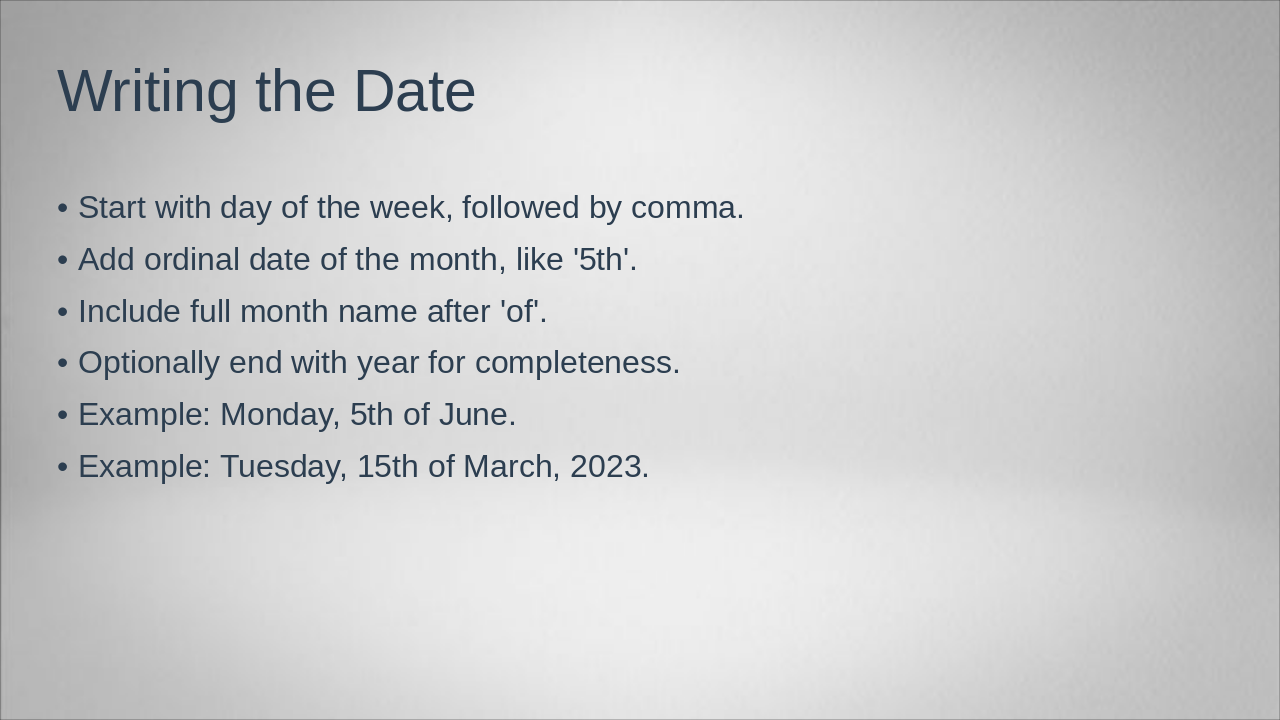
To write the date formally, begin with the day of the week followed by a comma, then add the ordinal date of the month (such as "5th"), followed by "of" and the full month name. Optionally include the year at the end for completeness, as shown in examples like "Monday, 5th of June" or "Tuesday, 15th of March, 2023."

Writing the Date

  • Start with day of the week, followed by comma.
  • Add ordinal date of the month, like '5th'.
  • Include full month name after 'of'.
  • Optionally end with year for completeness.
  • Example: Monday, 5th of June.
  • Example: Tuesday, 15th of March, 2023.
Speaker Notes
Use visuals like chalkboard or planner. Show examples: 'Monday, 5th of June'. Emphasize ordinal numbers.
Slide 6 - Writing the Date
Slide 7 of 11

Slide 7 - Practice

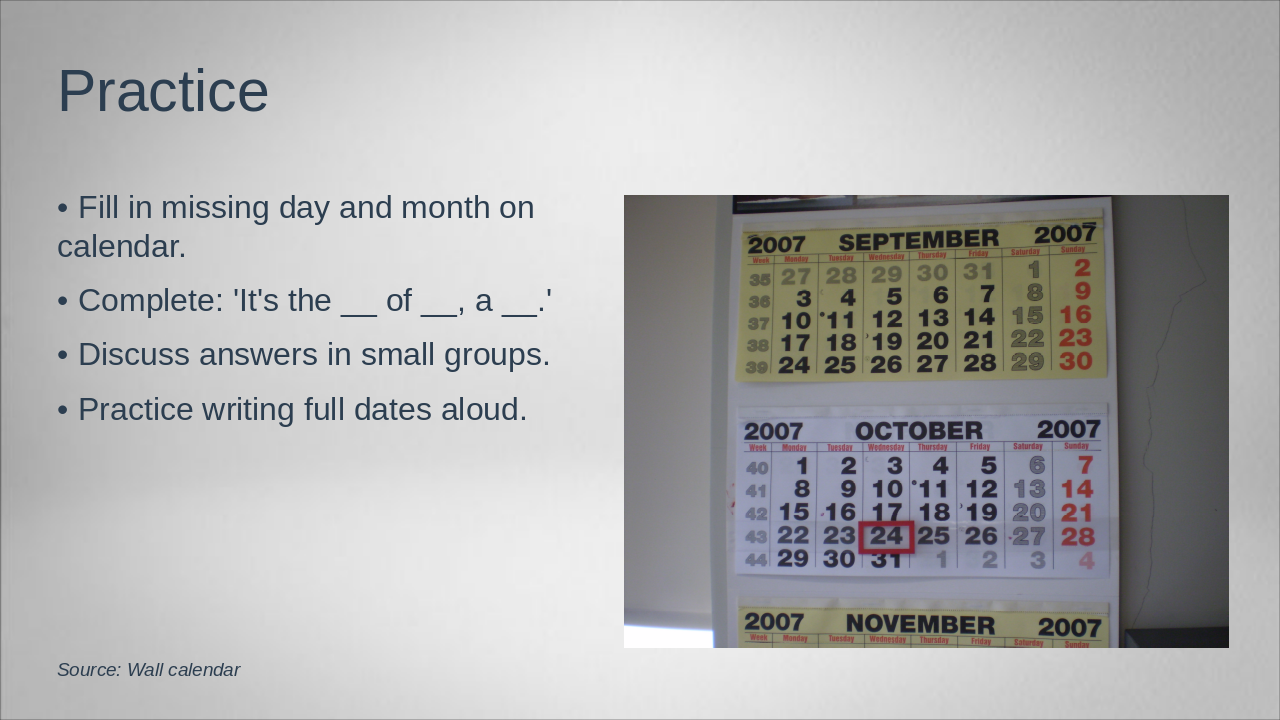
This slide, titled "Practice," features an image of a calendar activity where learners fill in missing days and months. It includes tasks to complete sentences like "It's the of , a ," discuss answers in small groups, and practice writing and saying full dates aloud.

Practice

!Image

  • Fill in missing day and month on calendar.
  • Complete: 'It's the of , a .'
  • Discuss answers in small groups.
  • Practice writing full dates aloud.

Source: Wall calendar

Speaker Notes
Fill-in exercise with visuals: Calendar missing date parts (e.g., blank for day/month). Students complete: 'It's the __ of __, a __.' Group work.
Slide 7 - Practice
Slide 8 of 11

Slide 8 - Speaking Practice

This slide outlines a speaking practice activity for discussing birthdays with a partner, starting by asking "When is your birthday?" and responding with "It's on the of ." Participants then share their own birthdate verbally, practicing in pairs before switching partners.

Speaking Practice

  • Discuss birthdays with a partner.
  • Ask: 'When is your birthday?'
  • Respond: 'It's on the of .'
  • Share your date verbally.
  • Practice in pairs, then switch.
Speaker Notes
Have students work in pairs to discuss birthdays using the prompt. Encourage verbal sharing of dates with ordinal numbers and months. Use images to engage.
Slide 8 - Speaking Practice
Slide 9 of 11

Slide 9 - Writing Practice

This slide, titled "Writing Practice," instructs users to write three sentences incorporating dates in the specified format of "Day, ordinal date of month," with an example like "My birthday is on the 15th of March." It encourages practicing these sentences in the provided notebook space below.

Writing Practice

!Image

  • Write 3 sentences using dates.
  • Example: My birthday is on the 15th of March.
  • Use format: Day, ordinal date of month.
  • Practice in your notebook below.

Source: Lined notebook

Speaker Notes
Instruct students to write 3 sentences using dates in their notebooks. Provide example and time for practice. Circulate to assist.
Slide 9 - Writing Practice
Slide 10 of 11

Slide 10 - Production

The slide outlines a production activity for creating a birthday calendar for the class, including student names and birthdates. It instructs using paper and markers for design, then displaying the finished calendar on the project board.

Production

  • Create a birthday calendar for your class.
  • Include student names and birthdates.
  • Use paper and markers to design it.
  • Display the calendar on the project board.
Speaker Notes
Guide students to collaborate on the calendar. Circulate to assist with date writing. 10 minutes.
Slide 10 - Production
Slide 11 of 11

Slide 11 - Wrap-Up

The slide wraps up the session by recapping key topics on ordinals, months, days, and date writing, while congratulating participants on their progress. As an exit ticket, it prompts attendees to write today's date and share one related fact.

Wrap-Up

Recap: Ordinals, Months, Days, and Date Writing.

Great job today!

Exit Ticket: Write today's date and share one fact.

Speaker Notes
Modern icons of calendar and dates. Recap key points: Ordinals, months, days, date writing. Exit ticket: 'Write today's date and share one fact.'
Slide 11 - Wrap-Up

Discover More Presentations

Explore thousands of AI-generated presentations for inspiration

Browse Presentations
Powered by AI

Create Your Own Presentation

Generate professional presentations in seconds with Karaf's AI. Customize this presentation or start from scratch.

Create New Presentation

Powered by Karaf.ai — AI-Powered Presentation Generator