AWS Exam Preparation: Practice Sets Guide

Generated from prompt:

Create a presenation about the file i just uplaoded

Comprehensive guide to AWS Official Practice Question Sets for certification exam prep. Covers getting started, in-exam features, result review, retakes, and support.

April 15, 202614 slides
Slide 1 of 14

Slide 1 - AWS Exam Preparation Guide

AWS Exam Preparation Guide

A Guide to AWS Official Practice Question Sets

---

Photo by Tom Parkes on Unsplash
Slide 1 - AWS Exam Preparation Guide
Slide 2 of 14

Slide 2 - Presentation Agenda

  • Getting Started: How to launch and start practice sets
  • Using Practice Sets: In-exam features and feedback tools
  • Reviewing Results: Interpreting scores and reviewing results
  • Management and Support: Retaking tests and seeking support

---

Photo by Tom Parkes on Unsplash

Slide 2 - Presentation Agenda
Slide 3 of 14

Slide 3 - Getting Started

1

Getting Started with AWS Practice Sets

How to access and launch your training material

---

Photo by Tom Parkes on Unsplash
Slide 3 - Getting Started
Slide 4 of 14

Slide 4 - Launching a Practice Question Set

  • Navigate to the training material and select 'Start Here'.
  • Locate the desired Practice Question Set in the product dashboard.
  • Select 'See more' next to the product.
  • Click 'Start' to begin the assessment.
Slide 4 - Launching a Practice Question Set
Slide 5 of 14

Slide 5 - In-Exam Features

2

Maximizing Your Study Session

Tools available during the exam simulation

---

Photo by Tom Parkes on Unsplash
Slide 5 - In-Exam Features
Slide 6 of 14

Slide 6 - In-Question Tools

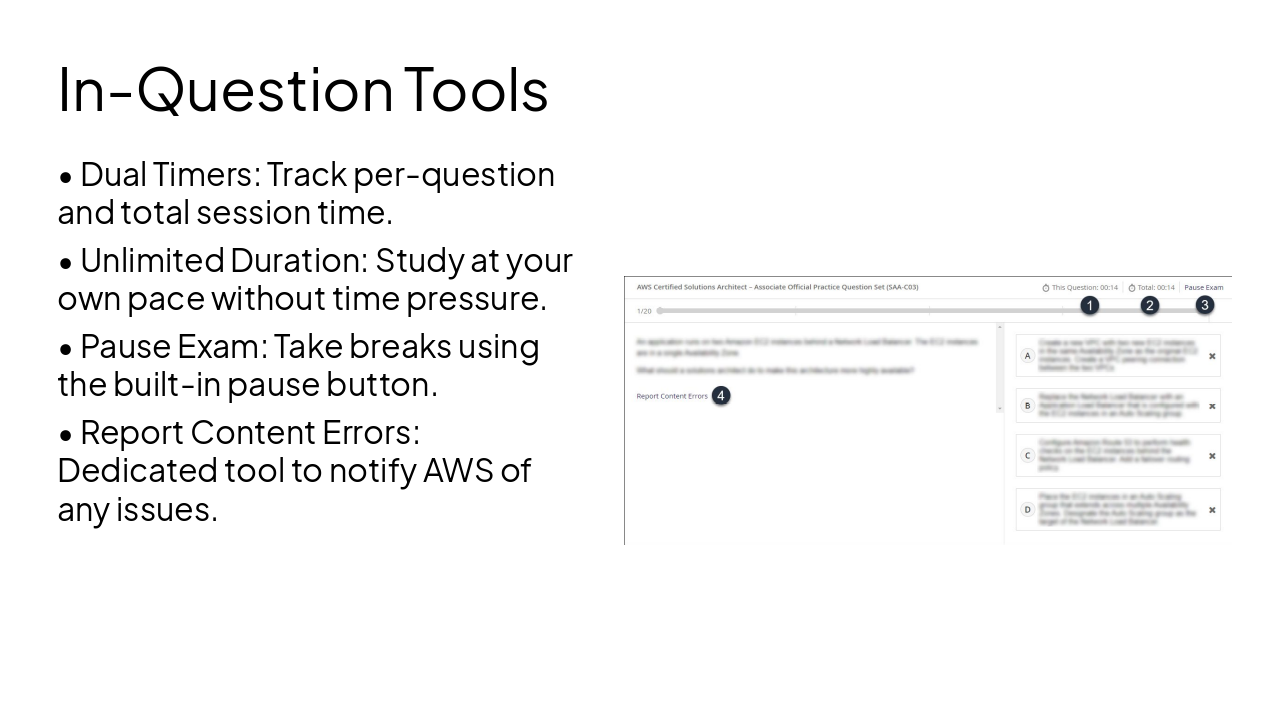
  • Dual Timers: Track per-question and total session time.
  • Unlimited Duration: Study at your own pace without time pressure.
  • Pause Exam: Take breaks using the built-in pause button.
  • Report Content Errors: Dedicated tool to notify AWS of any issues.
Slide 6 - In-Question Tools
Slide 7 of 14

Slide 7 - Real-time Feedback

  • Immediate feedback is provided for every response.
  • System identifies correct and incorrect answers.
  • Recommended resources are linked to help deepen understanding of key exam topics.
Slide 7 - Real-time Feedback
Slide 8 of 14

Slide 8 - Reviewing Results

3

Analyzing Your Performance

How to interpret and review your results

---

Photo by Tom Parkes on Unsplash

Slide 8 - Reviewing Results
Slide 9 of 14

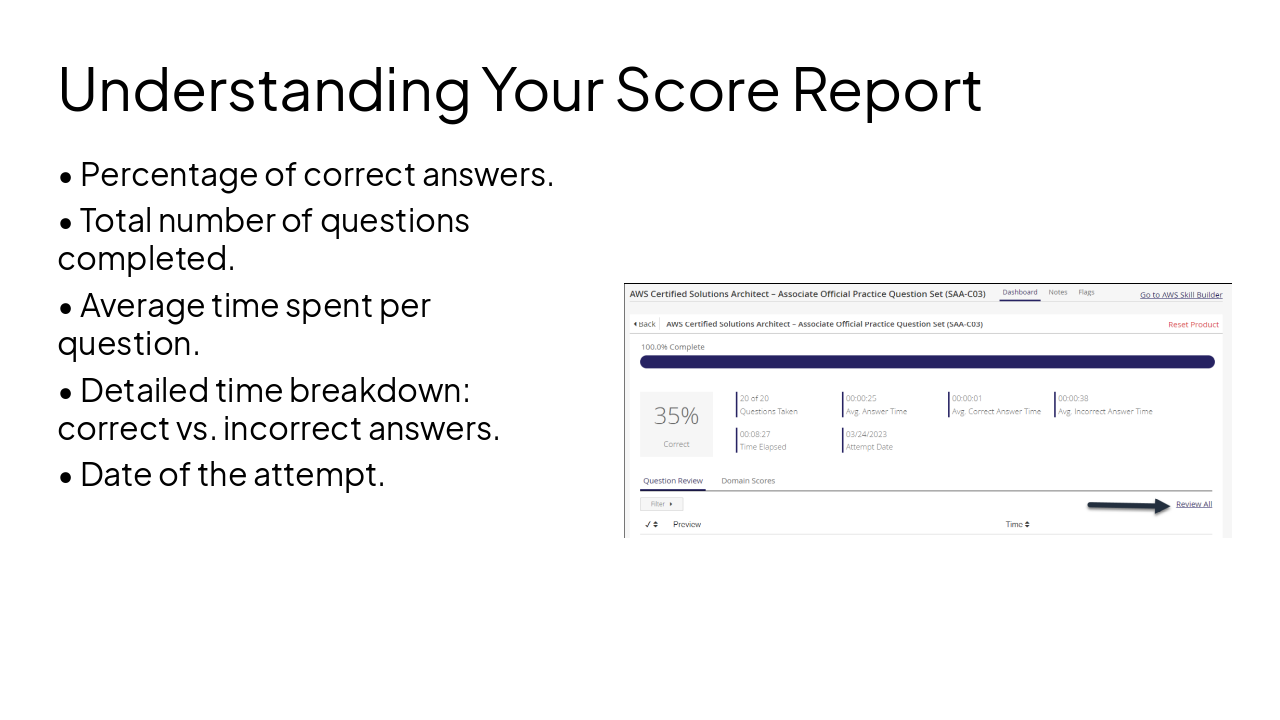
Slide 9 - Understanding Your Score Report

  • Percentage of correct answers.
  • Total number of questions completed.
  • Average time spent per question.
  • Detailed time breakdown: correct vs. incorrect answers.
  • Date of the attempt.
Slide 9 - Understanding Your Score Report
Slide 10 of 14

Slide 10 - Reviewing Your Questions

  • Review All: Go through the entire question set.
  • Filter by Specifics: Sort questions by correctness, domain, or bookmarks.
  • Bookmark Questions: Flag difficult items for later review.
  • Add Notes: Attach personal notes to questions during review.
Slide 10 - Reviewing Your Questions
Slide 11 of 14

Slide 11 - Ongoing Improvement

4

Retaking and Support

Managing your practice history and getting help

---

Photo by Tom Parkes on Unsplash
Slide 11 - Ongoing Improvement
Slide 12 of 14

Slide 12 - Retaking Practice Sets

  • Dashboard History: View previous attempts under 'Previous Score Reports'.
  • Reset Process: Use 'Reset All Products' to clear and retake the set.
  • Historical Data: Resetting does not erase previous score reports; they are always saved.
Slide 12 - Retaking Practice Sets
Slide 13 of 14

Slide 13 - Need Assistance?

  • Contact AWS Training and Certification customer service for technical issues.
  • Select 'Certification' as the inquiry type.
  • Choose 'AWS Exam Preparation' in the details menu.
  • Provide specific product names and detailed descriptions in your inquiry.
Slide 13 - Need Assistance?
Slide 14 of 14

Slide 14 - Conclusion

Prepare effectively and track your progress consistently.

Good luck with your AWS Certification exam preparation.
Slide 14 - Conclusion

Discover More Presentations

Explore thousands of AI-generated presentations for inspiration

Browse Presentations
Powered by AI

Create Your Own Presentation

Generate professional presentations in seconds with Karaf's AI. Customize this presentation or start from scratch.

Create New Presentation

Powered by Karaf.ai — AI-Powered Presentation Generator