Contrast CT Protocols: Essential Guidelines for Radiology
Generated from prompt:
Presentation: Contrast CT Protocols (16 slides) Slide 1: Title Contrast CT Protocols MeQrez General Hospital – Radiology Department Slide 2: Learning Objectives Identify indications for contrast‑enhanced CT Select appropriate contrast phase (arterial, venous, delayed) Administer contrast safely using power injector Optimize scan timing for each protocol Slide 3: When to Use Contrast CT Evaluate vascular structures (aneurysm, dissection, stenosis) Detect hypervascular tumors (liver, kidney, pancreas) Characterize lesions (cystic vs. solid) Assess inflammation, infection, trauma Image: same slice without contrast (low lesion visibility) vs. with contrast (lesion enhances) Slide 4: Contraindications & Precautions Absolute: known severe anaphylactic reaction (prior reaction) Relative: renal failure (eGFR <30), pregnancy, multiple myeloma Metformin hold protocol (48 hours post‑contrast if eGFR <60) Slide 5: Types of IV Contrast Low‑osmolar non‑ionic (iohexol, iopamidol, ioversol) – standard of care Iso‑osmolar (iodixanol) – for high‑risk renal patients Concentration: 300‑370 mg iodine/mL (higher concentration = brighter vessels) Slide 6: Contrast Phases – Timing Diagram Diagram: Timeline showing: Unenhanced (baseline) Arterial phase (15‑25 sec) – aorta, arteries, hypervascular tumors Portal venous phase (50‑70 sec) – liver, pancreas, solid organs Delayed phase (3‑5 min) – fibrosis, scar, urothelium Slide 7: Arterial Phase Protocols Uses: CT angiography (aorta, carotids, runoffs), pancreatic cancer, hypervascular liver lesions (HCC) Timing: bolus tracking at descending aorta (trigger 150‑200 HU) Slice thickness ≤1 mm for MIP/VR reconstructions Slide 8: Portal Venous Phase Protocols Uses: routine abdominal CT (liver, kidneys, pancreas, lymph nodes) Timing: 50‑70 seconds after injection Best for most solid organ evaluation Image: liver metastasis – hypodense on portal venous phase Slide 9: Delayed Phase Protocols Uses: renal masses (angiomyolipoma vs. renal cell carcinoma), bladder cancer, fibrosis Timing: 3‑5 minutes and sometimes 10‑15 minutes (for washout) Hemangioma fills in on delayed; RCC washes out Slide 10: Dual‑Phase & Triple‑Phase Protocols Triple‑phase liver: non‑contrast + arterial + portal venous Triple‑phase kidney: non‑contrast + corticomedullary + nephrographic Dual‑phase pancreas: arterial + portal venous Table: Indication → phases needed Slide 11: Power Injector Setup Flow rate: 2‑5 mL/sec (higher for CTA, lower for elderly/fragile veins) Total volume: 80‑150 mL (depending on exam and patient weight) Saline chase: 30‑50 mL at same rate – pushes contrast, reduces streak artifact Pressure limit: 300‑325 psi for 18‑20G IV Slide 12: Bolus Tracking (Smart Prep / Care Bolus) Place region of interest (ROI) in target vessel (aorta, pulmonary artery, liver) Set trigger threshold (e.g., 150 HU) Scan starts automatically after delay (usually 5‑10 seconds) Image: ROI placement in descending aorta Slide 13: Test Bolus Method Inject small volume (10‑20 mL) at same rate as planned Measure time to peak enhancement in vessel Add 4‑6 seconds for scan delay Use when bolus tracking not available or for complex anatomy Slide 14: Common Contrast CT Protocols – Quick Reference Exam Phase Delay (sec) Volume (mL) Rate (mL/s) Chest PE Pulmonary arterial 12‑15 (bolus track) 80‑100 4‑5 Abdominal routine Portal venous 70 100‑120 2‑3 Pancreatic Arterial + venous 40 + 70 100‑120 3‑4 Renal mass Corticomedullary + nephrographic 40 + 100 100 2‑3 CTA aorta Arterial Bolus track (200 HU) 80‑100 4‑5 Slide 15: Artifacts & Troubleshooting Beam hardening from dense contrast (in subclavian, renal pelvis) – reduce by saline chase, diluted oral contrast Extravasation – stop injection, elevate limb, cold compress, document Poor enhancement – check IV patency, flow rate, timing (repeat scan only if necessary) Slide 16: Review Questions & Case Discussion A 55‑year‑old with hepatitis and elevated AFP. Which phases do you need for liver lesion characterization? What is the optimal phase and delay for a CT pulmonary angiogram (PE study)? Your arterial phase scan shows poor aortic enhancement. List three possible causes. Final Slide: Thank You Contact: MeQrez General Hospital Radiology Department Israel Dubale – Expert Radiotechnologist
This comprehensive presentation from MeQrez General Hospital Radiology Department covers contrast-enhanced CT protocols. It details learning objectives, indications and contraindications, types of IV contrast, timing phases (arterial, portal venous, delayed), specific protocols for organs like liver, kidney, and pancreas, power injector setup, bolus tracking and test bolus methods, quick reference table for common exams, artifacts troubleshooting, and review questions with case discussions.
Slide 2 - Learning Objectives
- Identify indications for contrast-enhanced CT
- Select appropriate contrast phase (arterial, venous, delayed)
- Administer contrast safely using power injector
- Optimize scan timing for each protocol
Slide 4 - Contraindications & Precautions
- Absolute: known severe anaphylactic reaction (prior reaction)
- Relative: renal failure (eGFR <30), pregnancy, multiple myeloma
- Metformin hold protocol (48 hours post-contrast if eGFR <60)
Slide 5 - Types of IV Contrast
- Low-osmolar non-ionic (iohexol, iopamidol, ioversol) – standard of care
- Iso-osmolar (iodixanol) – for high-risk renal patients
- Concentration: 300-370 mg iodine/mL (higher concentration = brighter vessels)
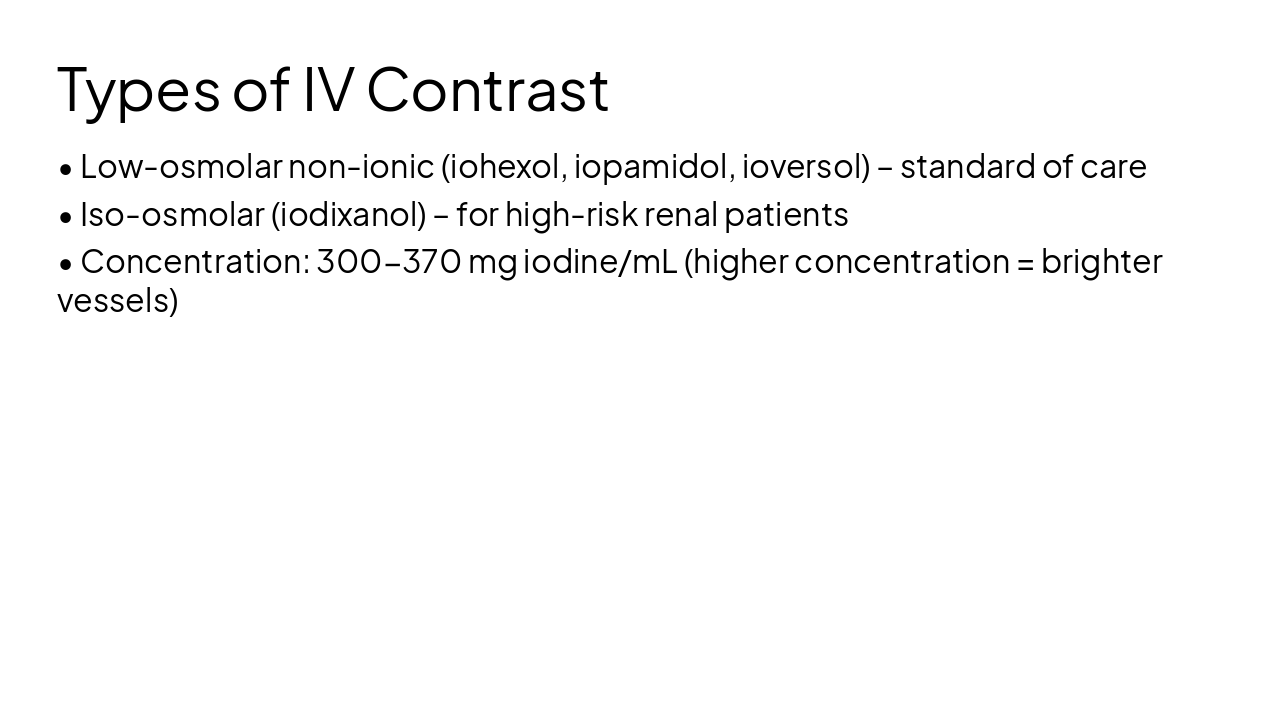
Slide 6 - Contrast Phases – Timing Diagram
0 sec: Unenhanced baseline 15-25 sec: Arterial phase aorta, arteries, hypervascular tumors 50-70 sec: Portal venous phase liver, pancreas, solid organs 3-5 min: Delayed phase fibrosis, scar, urothelium
Slide 7 - Arterial Phase Protocols
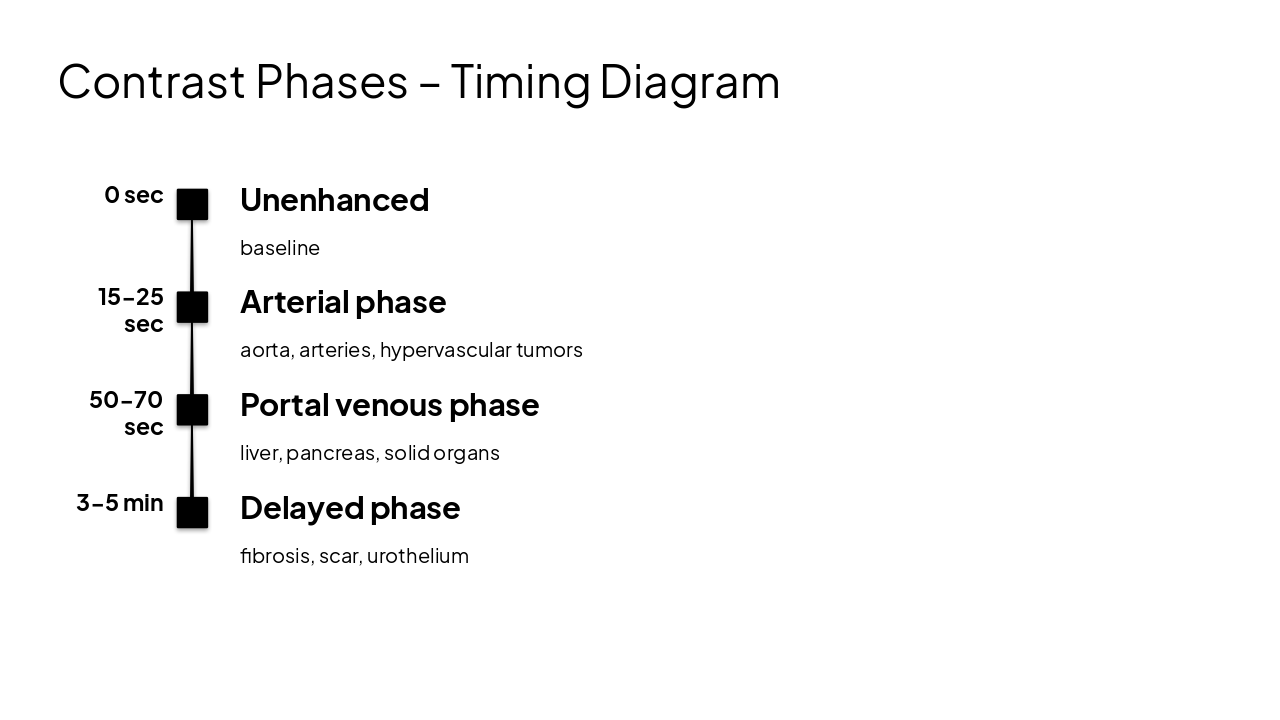
- Uses: CT angiography (aorta, carotids, runoffs), pancreatic cancer, hypervascular liver lesions (HCC)
- Timing: bolus tracking at descending aorta (trigger 150-200 HU)
- Slice thickness ≤1 mm for MIP/VR reconstructions
Slide 9 - Delayed Phase Protocols
- Uses: renal masses (angiomyolipoma vs. renal cell carcinoma), bladder cancer, fibrosis
- Timing: 3-5 minutes and sometimes 10-15 minutes (for washout)
- Hemangioma fills in on delayed; RCC washes out
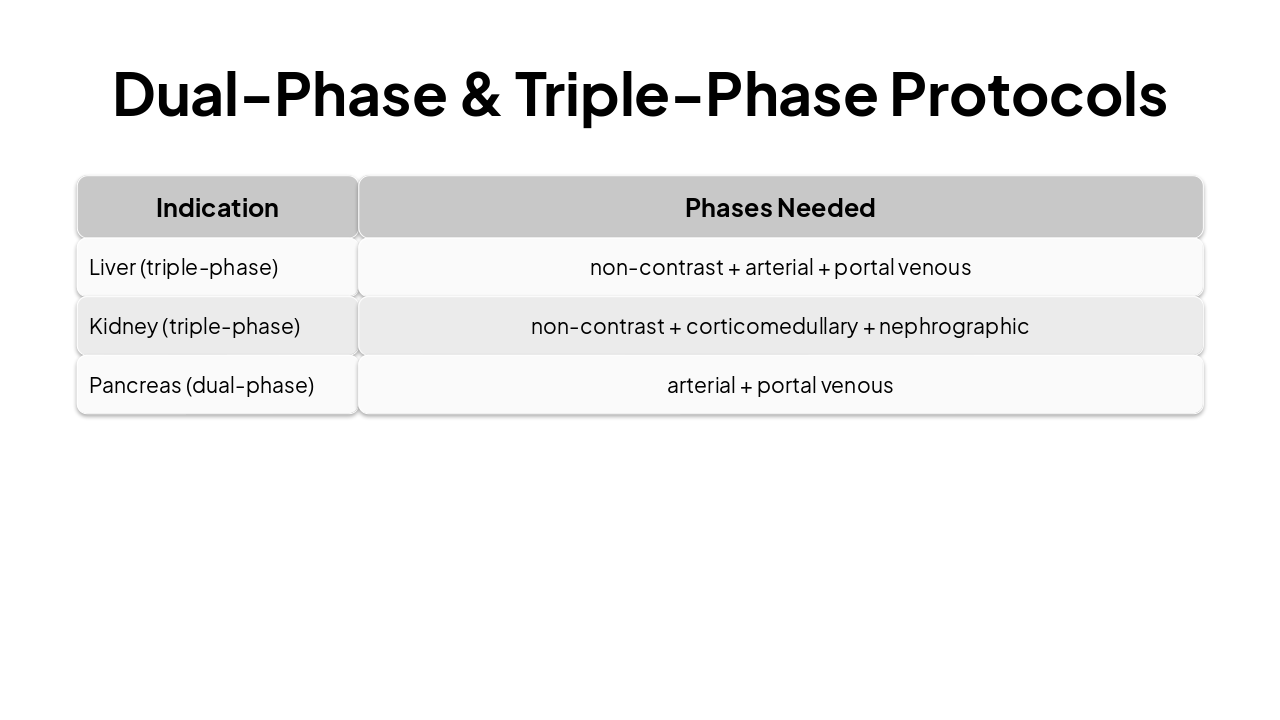
Slide 10 - Dual-Phase & Triple-Phase Protocols
| Indication | Phases Needed |
|---|---|
| Liver (triple-phase) | non-contrast + arterial + portal venous |
| Kidney (triple-phase) | non-contrast + corticomedullary + nephrographic |
| Pancreas (dual-phase) | arterial + portal venous |
Slide 11 - Power Injector Setup
- Flow rate: 2-5 mL/sec (higher for CTA, lower for elderly/fragile veins)
- Total volume: 80-150 mL (depending on exam and patient weight)
- Saline chase: 30-50 mL at same rate – pushes contrast, reduces streak artifact
- Pressure limit: 300-325 psi for 18-20G IV
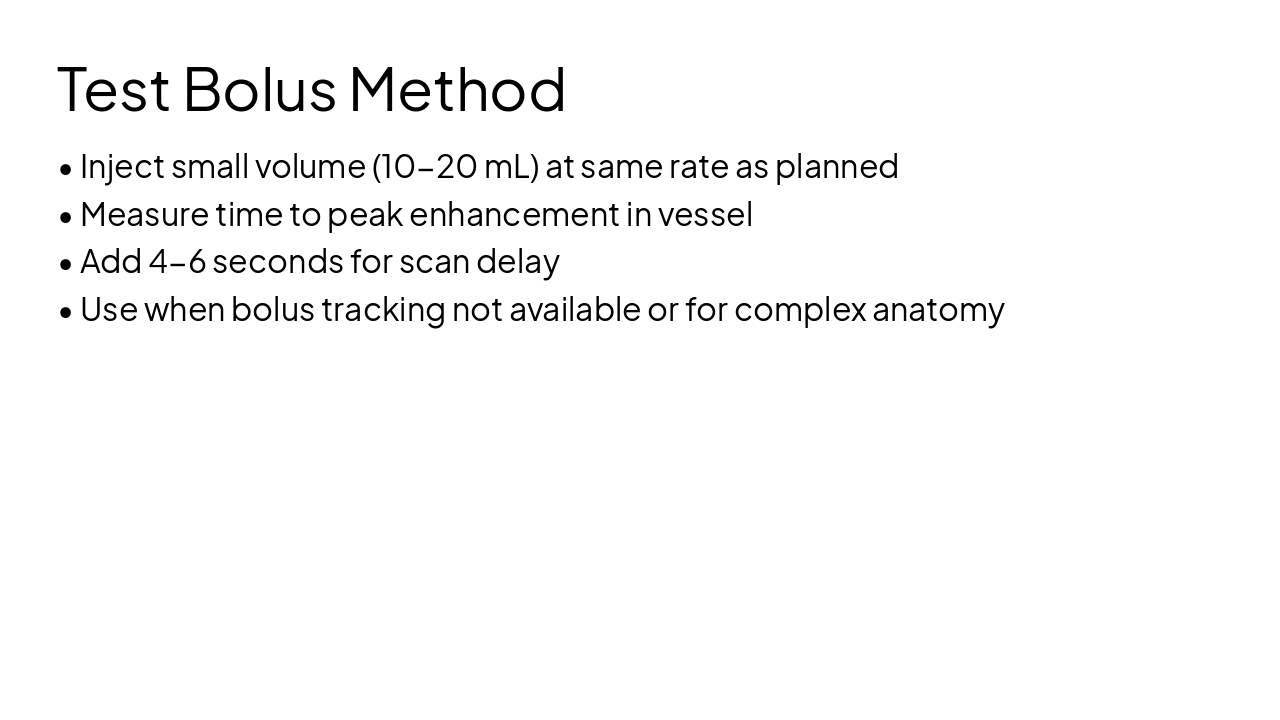
Slide 13 - Test Bolus Method
- Inject small volume (10-20 mL) at same rate as planned
- Measure time to peak enhancement in vessel
- Add 4-6 seconds for scan delay
- Use when bolus tracking not available or for complex anatomy
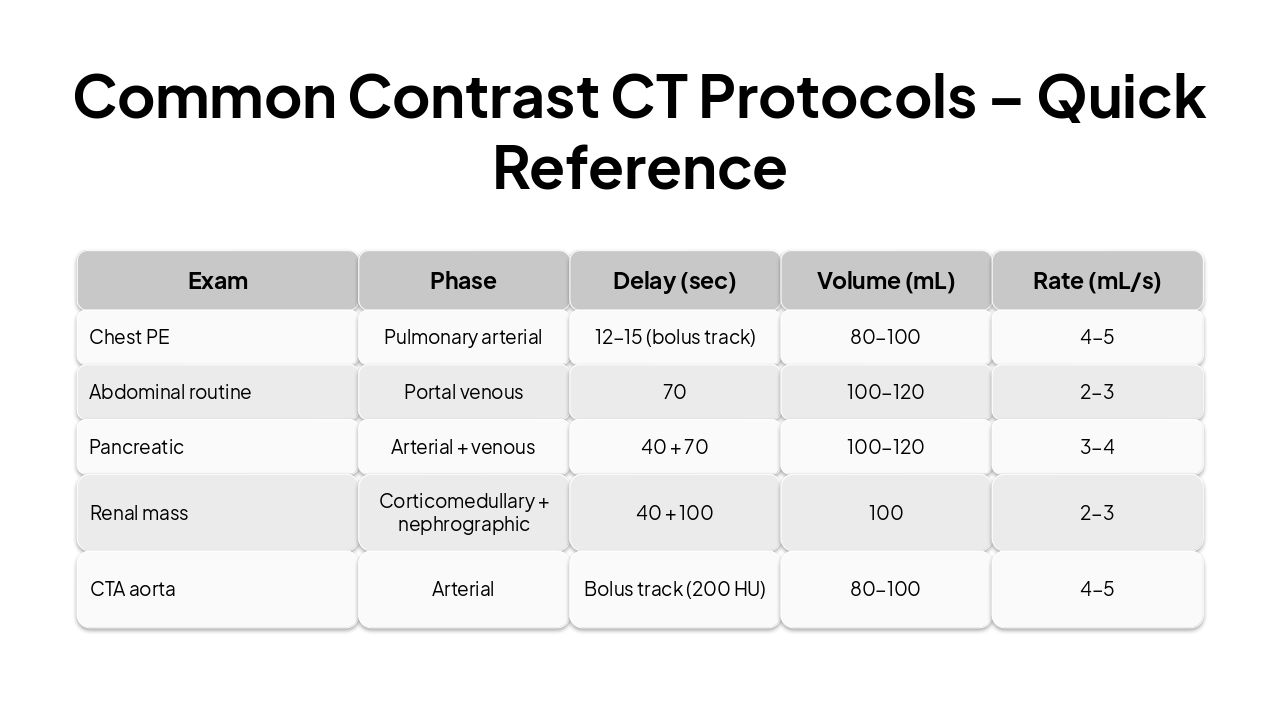
Slide 14 - Common Contrast CT Protocols – Quick Reference
| Exam | Phase | Delay (sec) | Volume (mL) | Rate (mL/s) |
|---|---|---|---|---|
| Chest PE | Pulmonary arterial | 12-15 (bolus track) | 80-100 | 4-5 |
| Abdominal routine | Portal venous | 70 | 100-120 | 2-3 |
| Pancreatic | Arterial + venous | 40 + 70 | 100-120 | 3-4 |
| Renal mass | Corticomedullary + nephrographic | 40 + 100 | 100 | 2-3 |
| CTA aorta | Arterial | Bolus track (200 HU) | 80-100 | 4-5 |
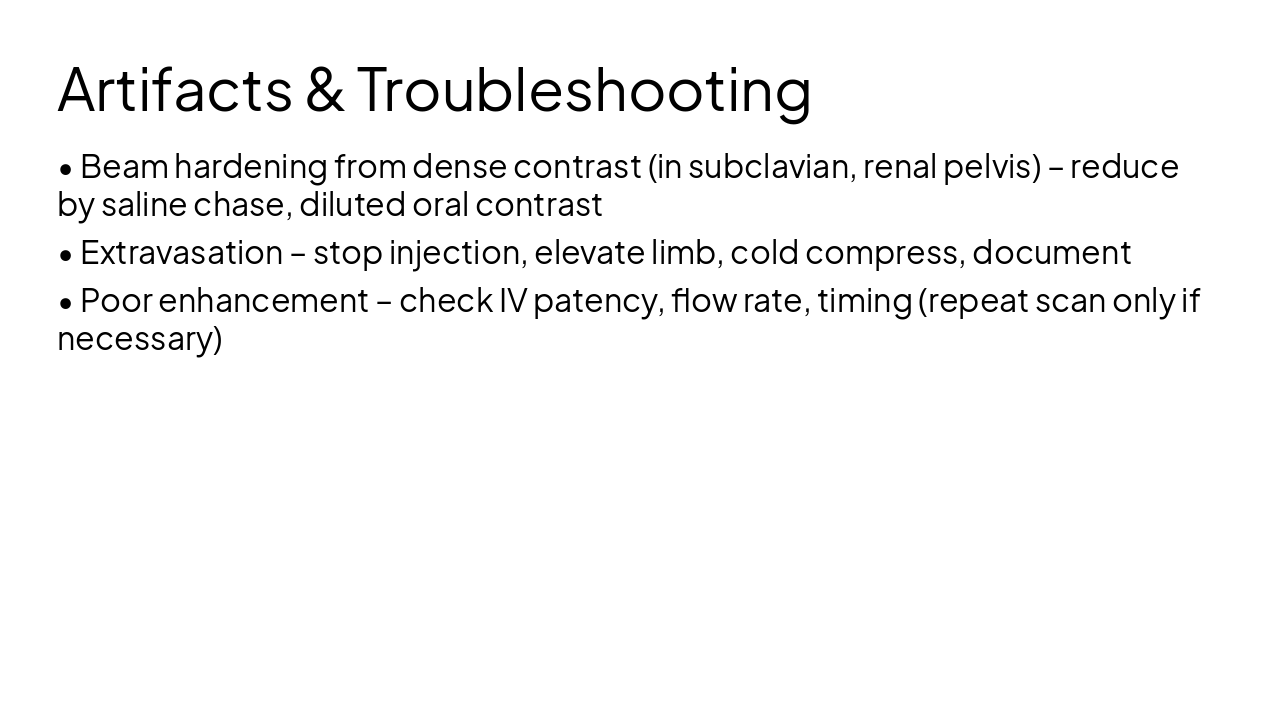
Slide 15 - Artifacts & Troubleshooting
- Beam hardening from dense contrast (in subclavian, renal pelvis) – reduce by saline chase, diluted oral contrast
- Extravasation – stop injection, elevate limb, cold compress, document
- Poor enhancement – check IV patency, flow rate, timing (repeat scan only if necessary)
Slide 16 - Review Questions & Case Discussion
- A 55-year-old with hepatitis and elevated AFP. Which phases do you need for liver lesion characterization?
- What is the optimal phase and delay for a CT pulmonary angiogram (PE study)?
- Your arterial phase scan shows poor aortic enhancement. List three possible causes.

Slide 17 - Thank You
Thank You
Contact: MeQrez General Hospital Radiology Department Israel Dubale – Expert Radiotechnologist
---
Photo by Navy Medicine on Unsplash
Discover More Presentations
Explore thousands of AI-generated presentations for inspiration
Create Your Own Presentation
Generate professional presentations in seconds with Karaf's AI. Customize this presentation or start from scratch.