Docker for Beginners: Simplify Dev & Deploy

Generated from prompt:

Docker for Beginners: Simplifying Development & Deployment — A presentation by Subas Panta (MERN Stack Intern) covering Docker basics, problems before Docker, containerization, core Docker components (Image, Container, Dockerfile, Docker Hub), and how it benefits developers and teams.

Subas Panta's intro to Docker covers basics, pre-Docker pains like 'it works on my machine', containerization, key components (Image, Container, Dockerfile, Hub), and team benefits. Start with: docker

January 17, 20268 slides
Slide 1 of 8

Slide 1 - Docker for Beginners

The slide titled "Docker for Beginners" introduces a session on "Docker for Beginners: Simplifying Development & Deployment." Its subtitle highlights learning Docker basics and benefits for developers.

Docker for Beginners: Simplifying Development & Deployment

Learn Docker basics and benefits for developers

Source: A presentation by Subas Panta (MERN Stack Intern)

Speaker Notes
Title slide introducing the Docker for Beginners presentation by Subas Panta, covering basics, benefits, and core components.
Slide 1 - Docker for Beginners
Slide 2 of 8

Slide 2 - Presentation Agenda

The slide outlines the presentation agenda on Docker, starting with problems before Docker and explaining what containerization is. It then covers core Docker components, benefits for teams, and ends with getting started plus a conclusion.

Presentation Agenda

  1. Problems Before Docker
  2. What is Containerization?
  3. Core Docker Components
  4. Benefits for Teams
  5. Getting Started & Conclusion

Source: Docker for Beginners: Simplifying Development & Deployment

Speaker Notes
Overview of the presentation structure highlighting key sections from problems before Docker to getting started.
Slide 2 - Presentation Agenda
Slide 3 of 8

Slide 3 - Problems Before Docker

Before Docker, developers faced inconsistent environments leading to the infamous "It works on my machine" syndrome, along with complex dependency management across teams and systems. This resulted in slow deployments, difficult scaling, and frequent bugs specific to different environments.

Problems Before Docker

  • Inconsistent environments: 'It works on my machine' syndrome
  • Complex dependency management across teams and systems
  • Slow deployments and difficult scaling processes
  • Frequent environment-specific bugs and failures

Source: Docker for Beginners: Simplifying Development & Deployment — A presentation by Subas Panta (MERN Stack Intern)

Speaker Notes
Highlight how these issues were common pain points in traditional development workflows before Docker's introduction.
Slide 3 - Problems Before Docker
Slide 4 of 8

Slide 4 - Understanding Containerization

This section header slide, titled "Understanding Containerization" (Section 03), introduces the core concept of containerization. It features a subtitle explaining it as packaging apps with dependencies for consistent execution anywhere.

Understanding Containerization

03

Understanding Containerization

Packaging apps with dependencies for consistent execution anywhere

Source: Docker for Beginners: Simplifying Development & Deployment — A presentation by Subas Panta (MERN Stack Intern)

Speaker Notes
Containers package apps with dependencies for consistent runs anywhere.
Slide 4 - Understanding Containerization
Slide 5 of 8

Slide 5 - Containerization Benefits

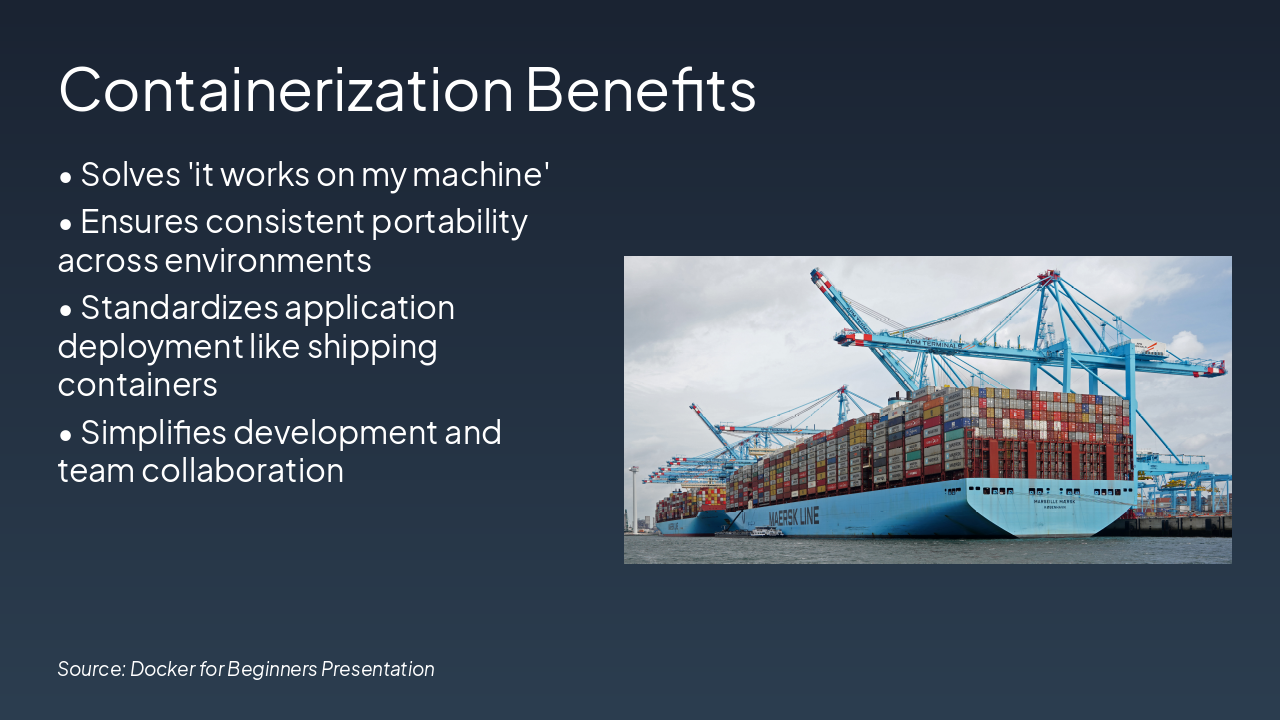
Containerization benefits include solving the "it works on my machine" problem and ensuring consistent portability across environments. It standardizes application deployment like shipping containers and simplifies development and team collaboration.

Containerization Benefits

!Image

  • Solves 'it works on my machine'
  • Ensures consistent portability across environments
  • Standardizes application deployment like shipping containers
  • Simplifies development and team collaboration

Source: Docker for Beginners Presentation

Slide 5 - Containerization Benefits
Slide 6 of 8

Slide 6 - Core Docker Components

The slide "Core Docker Components" presents a table outlining key elements: Image as a read-only template, Container as a running instance, Dockerfile as build instructions, and Docker Hub as an image registry. This summary highlights the fundamental building blocks of Docker in a concise format.

Core Docker Components

ComponentDescription
ImageRead-only template
ContainerRunning instance
DockerfileBuild instructions
Docker HubImage registry

Source: Docker for Beginners

Speaker Notes
Key building blocks of Docker ecosystem.
Slide 6 - Core Docker Components
Slide 7 of 8

Slide 7 - Benefits for Developers & Teams

This slide highlights key benefits for developers and teams using containerization, including fast deployments with Docker, easy scaling via CI/CD pipelines, and isolated environments that prevent dependency conflicts. It also emphasizes eliminating "works on my machine" bugs through reproducible setups and cost savings from efficient resource optimization.

Benefits for Developers & Teams

Source: Docker for Beginners

Speaker Notes
Highlight how Docker solves common dev pain points like environment inconsistencies and scaling issues.
Slide 7 - Benefits for Developers & Teams
Slide 8 of 8

Slide 8 - Get Started with Docker Today!

This conclusion slide titled "Get Started with Docker Today!" thanks the audience and provides a simple command to begin: "docker run hello-world." It emphasizes mastering Docker as key to success with the MERN stack.

Get Started with Docker Today!

Thank You!

Get Started: docker run hello-world

Master Docker for MERN Stack Success

Source: Subas Panta

Speaker Notes
Master Docker to streamline your MERN stack workflow. Questions? Start with docker run hello-world. Thank you!
Slide 8 - Get Started with Docker Today!

Discover More Presentations

Explore thousands of AI-generated presentations for inspiration

Browse Presentations
Powered by AI

Create Your Own Presentation

Generate professional presentations in seconds with Karaf's AI. Customize this presentation or start from scratch.

Create New Presentation

Powered by Karaf.ai — AI-Powered Presentation Generator