CBSE Class 11 Computer Science: Chapters 1-8 Fundamentals (卷

Generated from prompt:

Create PART 1 of a SINGLE MEGA COMBINED Presentation for Class 11 Computer Science (CBSE 083, 2025-26) strictly from the uploaded textbook /mnt/data/C11 COMP SC SSM FINAL 2025-26_2.pdf. This is Volume 1 (Programming First Strategy). Include ONLY these chapters fully extracted from the PDF: 1. Computational Thinking & Programming – I 2. Python Basics (Tokens, Identifiers, Variables, Data Types, Operators) 3. Flow of Control 4. Strings 5. Lists 6. Tuples 7. Dictionary 8. Modules STRICT RULES: - Use PDF as PRIMARY SOURCE. - Do NOT summarize. - Extract ALL definitions, examples, tables, programs, exercises, practicals. - 1 Concept = 1 Slide. - Minimum 180–220 slides in this volume. For EVERY concept slide include: - Simple meaning - Hinglish explanation (Devanshu Sir style) - Real life example - Step-by-step explanation - Analogy - Exam tip - Memory trick For EVERY program include: - Correct runnable Python code - Line-by-line explanation - Dry run table - Output - Common mistakes - Practice task For EVERY chapter include: - 5 MCQs - 5 Short Answer - 2 Long Answer - 5 Fill in blanks - 5 True/False - 1 Lab task - 1 Mini project - Summary & Homework Design: - Blue + Yellow premium coaching theme - Icons, flowcharts, comparison tables - Animation guidance (fade, bullet reveal) - Modern professional look This is PART 1. It will later be merged into final mega 400+ slide file. Generate now.

Detailed CBSE Class 11 Computer Science (083) Volume 1 Part 1 covering Chapters 1-8: Computational Thinking, Python Basics, Flow Control, Strings, Lists, Tuples, Dictionaries & Modules. Includes concepts, algorithms, flowcharts, Python programs, dry

February 19, 202620 slides
Slide 1 of 20

Slide 1 - Class 11 Computer Science (CBSE 083, 2025-26)

Volume 1: Programming First Strategy PART 1

Chapters 1-8: Computational Thinking to Modules Strictly from Textbook - Detailed Concepts, Programs & Exercises

---

Photo by Pict4life on Unsplash
Slide 1 - Class 11 Computer Science (CBSE 083, 2025-26)
Slide 2 of 20

Slide 2 - Presentation Agenda

  • 1. Computational Thinking & Programming – I
  • 2. Python Basics (Tokens, Identifiers, Variables, Data Types, Operators)
  • 3. Flow of Control
  • 4. Strings
  • 5. Lists
  • 6. Tuples
  • 7. Dictionary
  • 8. Modules

---

Photo by Eugenia Romanova on Unsplash

Slide 2 - Presentation Agenda
Slide 3 of 20

Slide 3 - Chapter 1

1

Computational Thinking & Programming – I

Problem-Solving Using Algorithms and Computational Steps

---

Photo by Ecliptic Graphic on Unsplash

Slide 3 - Chapter 1
Slide 4 of 20

Slide 4 - Core Definition

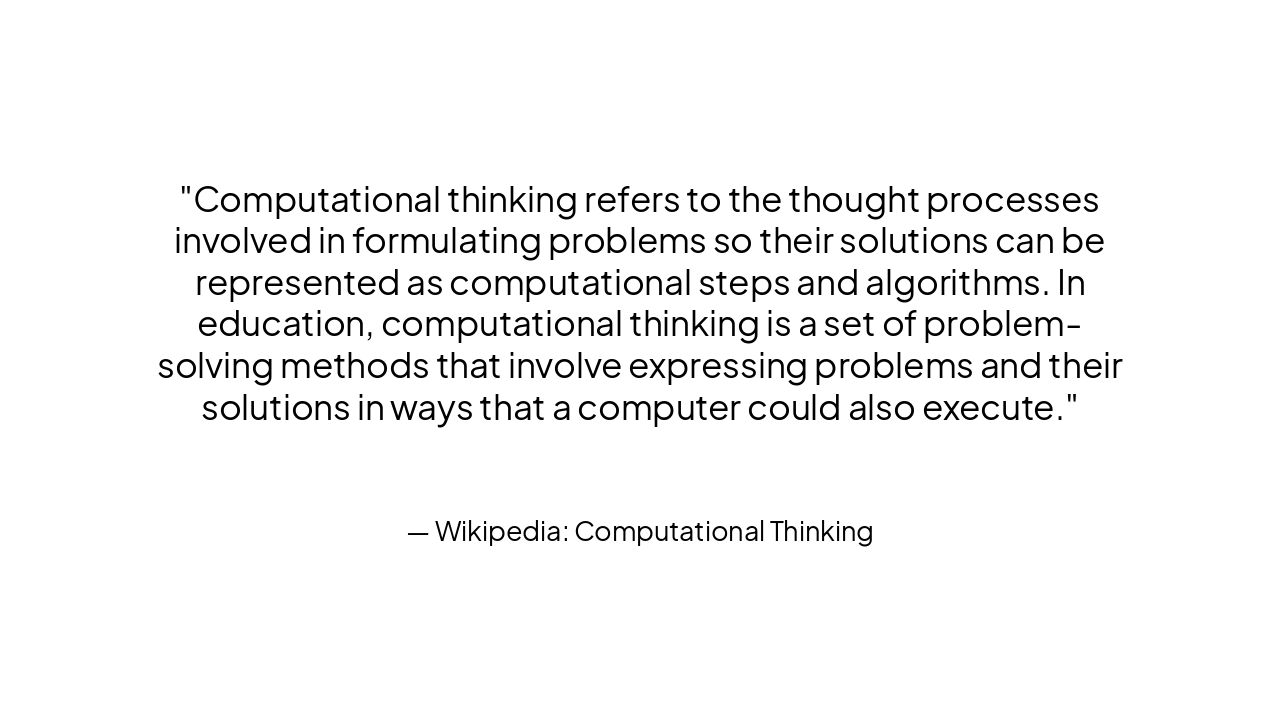
> Computational thinking refers to the thought processes involved in formulating problems so their solutions can be represented as computational steps and algorithms. In education, computational thinking is a set of problem-solving methods that involve expressing problems and their solutions in ways that a computer could also execute.

— Wikipedia: Computational Thinking

Slide 4 - Core Definition
Slide 5 of 20

Slide 5 - Understanding Computational Thinking

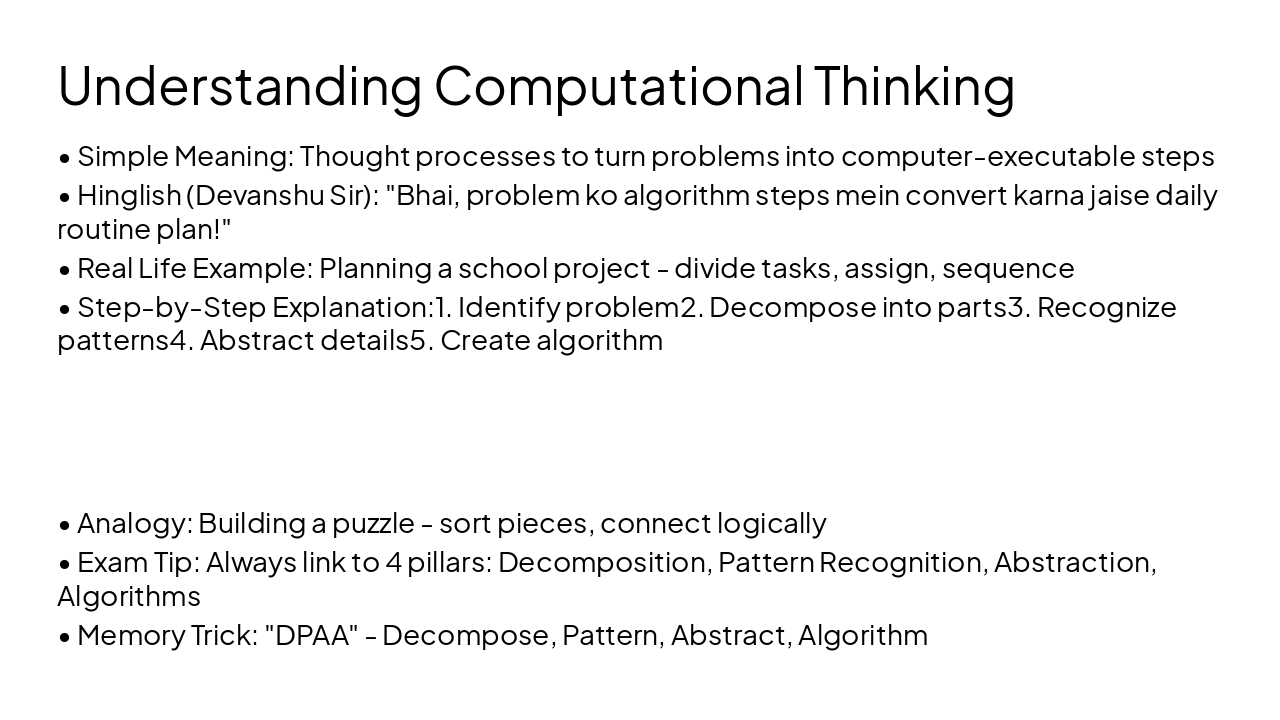
  • Simple Meaning: Thought processes to turn problems into computer-executable steps
  • Hinglish (Devanshu Sir): "Bhai, problem ko algorithm steps mein convert karna jaise daily routine plan!"
  • Real Life Example: Planning a school project - divide tasks, assign, sequence
  • Step-by-Step Explanation:
  1. Identify problem
  2. Decompose into parts
  3. Recognize patterns
  4. Abstract details
  5. Create algorithm
  • Analogy: Building a puzzle - sort pieces, connect logically
  • Exam Tip: Always link to 4 pillars: Decomposition, Pattern Recognition, Abstraction, Algorithms
  • Memory Trick: "DPAA" - Decompose, Pattern, Abstract, Algorithm
Slide 5 - Understanding Computational Thinking
Slide 6 of 20

Slide 6 - Visualizing Computational Thinking

  • Decomposition: Break complex problem into smaller parts
  • Pattern Recognition: Find similarities in problems
  • Abstraction: Focus on important details, ignore irrelevant
  • Algorithm Design: Create step-by-step solution

---

Photo by razi pouri on Unsplash

Slide 6 - Visualizing Computational Thinking
Slide 7 of 20

Slide 7 - Traditional vs Computational Thinking

Traditional Problem Solving

  • Manual calculations
  • Limited to human speed
  • Error-prone for complex tasks
  • Step-by-step on paper

Computational Thinking

  • Automated via algorithms
  • Handles massive data
  • Precise & repeatable
  • Scalable for big problems
  • Uses computers for execution
Slide 7 - Traditional vs Computational Thinking
Slide 8 of 20

Slide 8 - Importance of Computational Literacy

> The maths taught around the world today does not fit how it is used in the real world. Computation technology is more accessible than ever before, but no curriculum in the world assumes it exists. Instead, it is focussed on the mechanics of hand calculation, rather than the essence of real-world maths.

— Conrad Wolfram (Advocate of Computational Literacy)

Slide 8 - Importance of Computational Literacy
Slide 9 of 20

Slide 9 - What is an Algorithm? (Core of Programming)

  • Simple Meaning: Step-by-step procedure to solve a problem
  • Hinglish: "Recipe jaise, har step clear!"
  • Real Life: Making tea - boil water, add tea, sugar, milk, serve
  • Step-by-Step: Finite, unambiguous, input/output defined, effective
  • Analogy: GPS directions - turn left, go straight 2km
  • Exam Tip: Characteristics: Finiteness, Definiteness, Input, Output, Effectiveness
  • Memory Trick: "FIDOE" - Finite, Input, Definite, Output, Effective
Slide 9 - What is an Algorithm? (Core of Programming)
Slide 10 of 20

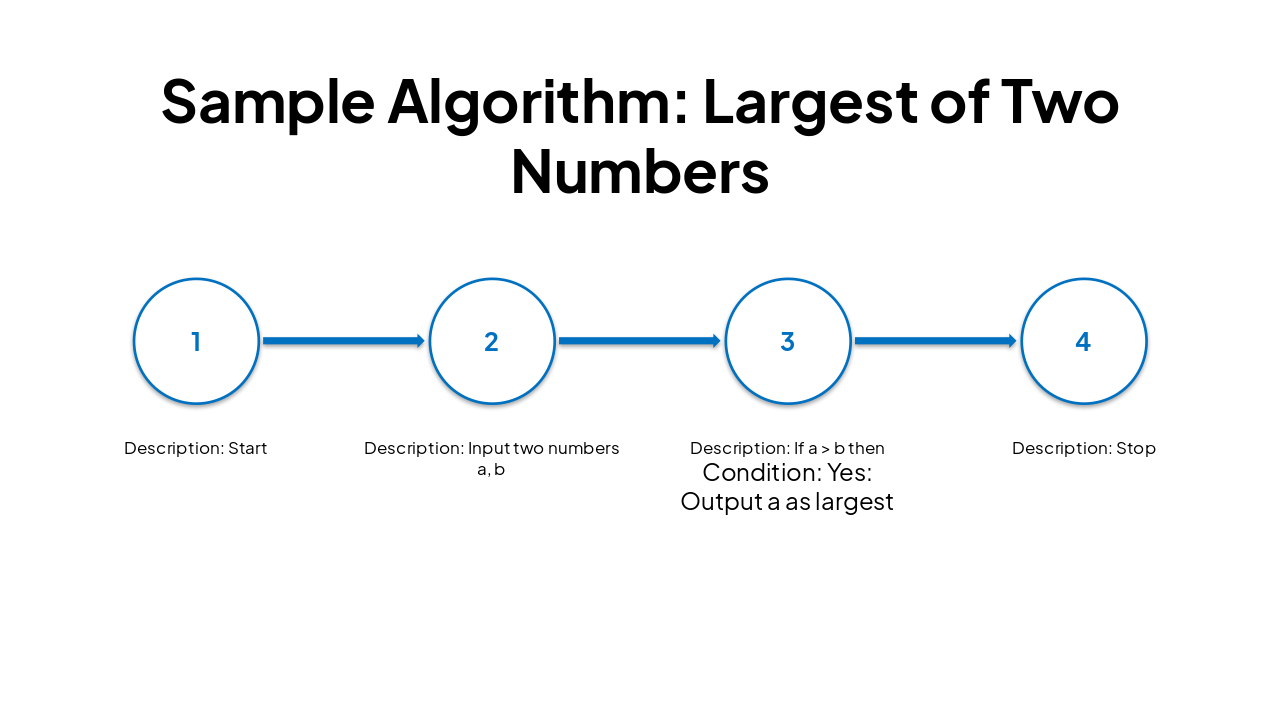
Slide 10 - Sample Algorithm: Largest of Two Numbers

Step No.DescriptionCondition
1Start
2Input two numbers a, b
3If a > b thenYes: Output a as largestNo: Output b as largest
4Stop
Slide 10 - Sample Algorithm: Largest of Two Numbers
Slide 11 of 20

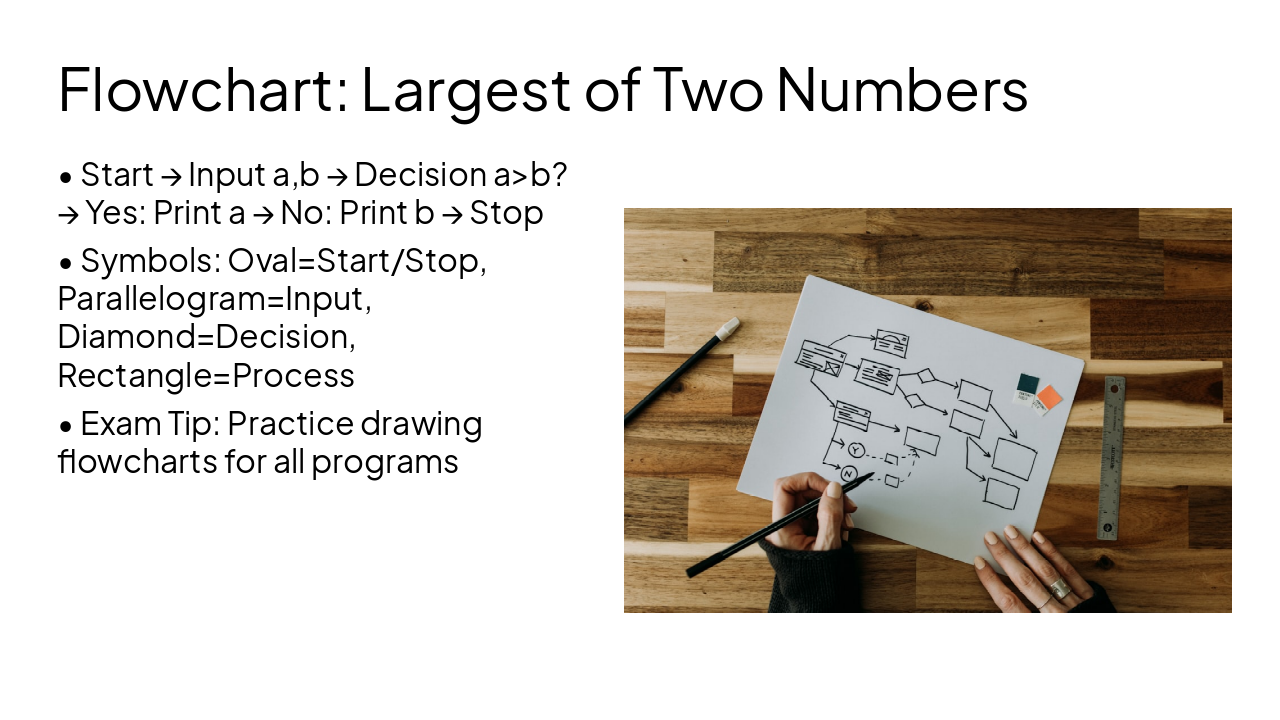
Slide 11 - Flowchart: Largest of Two Numbers

  • Start → Input a,b → Decision a>b? → Yes: Print a → No: Print b → Stop
  • Symbols: Oval=Start/Stop, Parallelogram=Input, Diamond=Decision, Rectangle=Process
  • Exam Tip: Practice drawing flowcharts for all programs

---

Photo by Kelly Sikkema on Unsplash

Slide 11 - Flowchart: Largest of Two Numbers
Slide 12 of 20

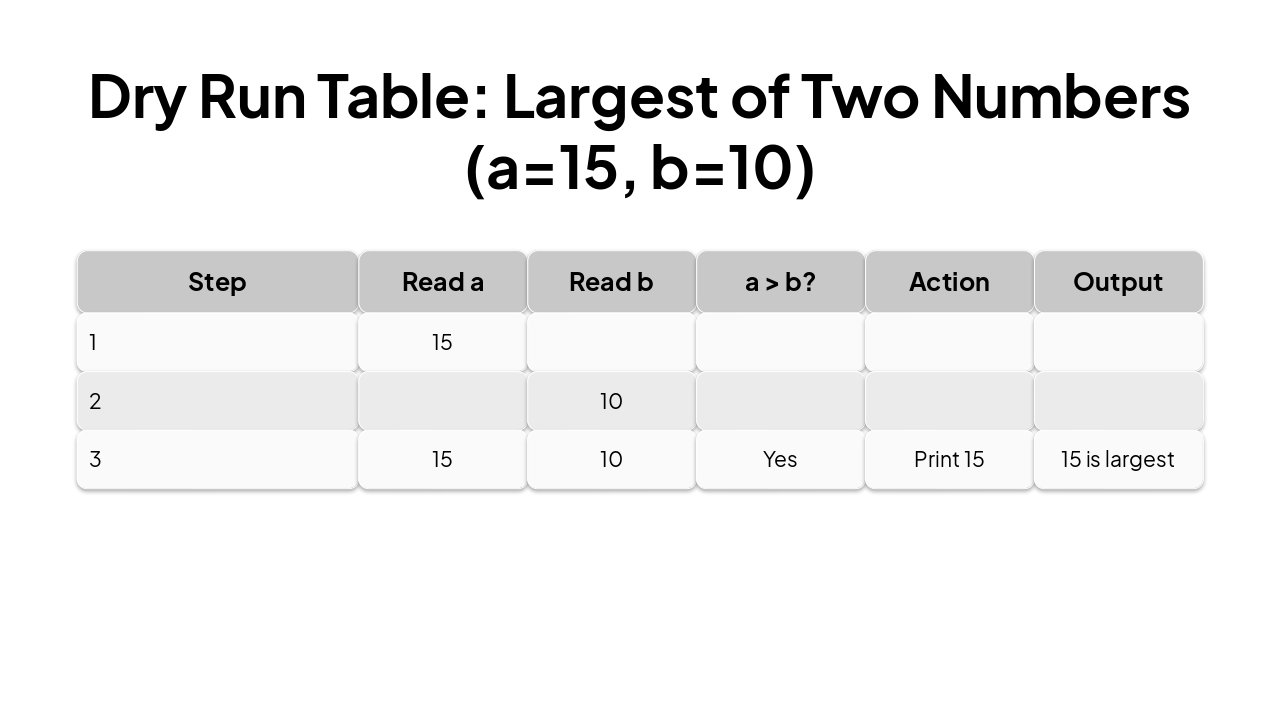
Slide 12 - Dry Run Table: Largest of Two Numbers (a=15, b=10)

StepRead aRead ba > b?ActionOutput
115
210
31510YesPrint 1515 is largest
Slide 12 - Dry Run Table: Largest of Two Numbers (a=15, b=10)
Slide 13 of 20

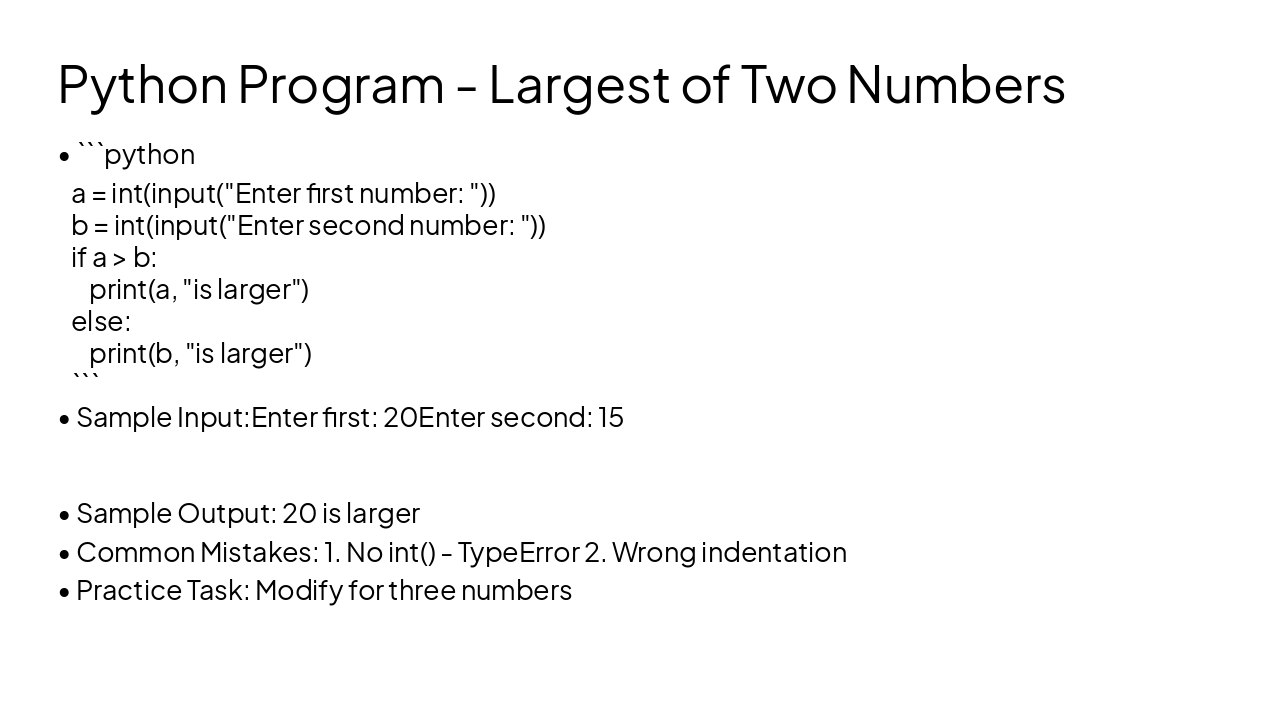
Slide 13 - Python Program - Largest of Two Numbers

a = int(input("Enter first number: "))b = int(input("Enter second number: "))if a > b:    print(a, "is larger")else:    print(b, "is larger")
  • Sample Input:

Enter first: 20 Enter second: 15

  • Sample Output: 20 is larger
  • Common Mistakes: 1. No int() - TypeError 2. Wrong indentation
  • Practice Task: Modify for three numbers
Slide 13 - Python Program - Largest of Two Numbers
Slide 14 of 20

Slide 14 - Chapter 1: 5 MCQs (Practice)

  • 1. What is computational thinking? a) Math only b) Problem-solving for computers c) Gaming d) Drawing
  • 2. Key pillars include: a) Decomposition b) Swimming c) Eating d) Sleeping
  • 3. Algorithm must be: a) Infinite b) Ambiguous c) Finite & Definite d) Random
  • 4. Flowchart diamond shape: a) Input b) Decision c) Process d) Start
  • 5. Memory trick for algorithm: a) ABC b) FIDOE c) XYZ d) 123
Slide 14 - Chapter 1: 5 MCQs (Practice)
Slide 15 of 20

Slide 15 - Chapter 1: 5 Short Answer Questions

  • 1. Define Computational Thinking with 2 examples.
  • 2. List 4 characteristics of an algorithm.
  • 3. Differentiate Algorithm and Program.
  • 4. Draw flowchart symbols for Decision and Input.
  • 5. Explain Decomposition with real-life example.
Slide 15 - Chapter 1: 5 Short Answer Questions
Slide 16 of 20

Slide 16 - Chapter 1: 2 Long Answer Questions

  • 1. Explain 4 pillars of Computational Thinking with examples and flowchart for sum of two numbers.
  • 2. Write algorithm, flowchart and Python program to check even/odd number. Include dry run.
Slide 16 - Chapter 1: 2 Long Answer Questions
Slide 17 of 20

Slide 17 - Chapter 1: 5 Fill in the Blanks

  • 1. thinking is solving problems like a computer.
  • 2. Step-by-step solution is called .
  • 3. Breaking problem into parts:
  • 4. Visual algorithm representation:
  • 5. Algorithm must terminate: _ ness
Slide 17 - Chapter 1: 5 Fill in the Blanks
Slide 18 of 20

Slide 18 - Chapter 1: 5 True/False

  • 1. Computational Thinking helps in automation. (T/F)
  • 2. Algorithms can be infinite loops. (T/F)
  • 3. Flowcharts use standard symbols. (T/F)
  • 4. Programs are written in English only. (T/F)
  • 5. Abstraction ignores unnecessary details. (T/F)
Slide 18 - Chapter 1: 5 True/False
Slide 19 of 20

Slide 19 - Chapter 1: Lab Task

  • Task: Write Python program to input name and age, print 'Hello [name], you are [age] years old.'
  • Requirements: Use input(), print(). Test with 2 inputs.
  • Extension: Add if age>18 print 'Adult' else 'Minor'
Slide 19 - Chapter 1: Lab Task
Slide 20 of 20

Slide 20 - Chapter 1: Mini Project

  • Project: Simple Calculator Algorithm & Program
  • Steps: 1. Algorithm 2. Flowchart 3. Python code for +,-,*,/ 4. Dry run table
  • Input two numbers and operation, output result
  • Use if-elif for operations
  • Bonus: Error handling for /0
Slide 20 - Chapter 1: Mini Project

Discover More Presentations

Explore thousands of AI-generated presentations for inspiration

Browse Presentations
Powered by AI

Create Your Own Presentation

Generate professional presentations in seconds with Karaf's AI. Customize this presentation or start from scratch.

Create New Presentation

Powered by Karaf.ai — AI-Powered Presentation Generator